¶ 📘 CCTV Technical Manual – Darwin System
Version: 1.3
Updated: May/2026
Purpose: Standardized manual for installation, configuration, and approval of CCTV equipment compatible with the Darwin system.
¶ 📑 Table of contents
- Important Alert – Image Standard in Brazil
- Approved Models
- Standard Field Installation Flow
- Hikvision – DVR / NVR
- Hikvision – IP Cameras
- Intelbras – DVR / NVR
- Intelbras – Analog Cameras
- Microphone – Installation and Cabling
- Final Approval Checklist
- Best Practices and Final Notes
¶ 🚨 Important Alert – Image Standard in Brazil
⚠️ READ BEFORE STARTING ANY INSTALLATION
The Brazilian power grid operates at 60Hz. Setting the equipment to the wrong frequency causes flicker, horizontal stripes, and an unstable image in environments with fluorescent or LED lighting.
¶ ✅ Required configuration in Brazil
| Equipment | Standard | Frequency |
|---|---|---|
| 📹 Analog Cameras | NTSC | 60Hz |
| 📼 DVR (records analog) | NTSC | 60Hz |
| 🎥 IP Cameras | Anti-flicker | 60Hz |
| 💾 NVR (records IP) | Anti-flicker | 60Hz |
¶ ❌ Never use in Brazil
- PAL / 50Hz → causes flicker and shaking under artificial lighting
- Imported equipment often ships from the factory in PAL / 50Hz. Always change it to NTSC / 60Hz during installation.
¶ 🔍 How to tell if it's wrong
- Horizontal stripes moving up or down the image
- Subtle shaking in areas lit by fluorescent or LED
- Image flickering even with a still scene
💡 Simple rule: in Brazil, always 60Hz, regardless of the camera or recorder type.
¶ ✅ Approved Models
| Manufacturer | Models |
|---|---|
| Hikvision | IDS-7216HQHI-M1/S, IDS-7208HQHI-M1/S, IDS-7216HQHI-M1/X |
| Intelbras | MHDX-3116-C, MHDX-3108-C, MHDX-3104-C, NVD 3316-P, IMHDX 5116, IMHDX 7016 |
¶ 🧭 Standard Field Installation Flow
- Physically install the equipment and the cameras
- Locate the equipment on the local network
- Hikvision: SADP software
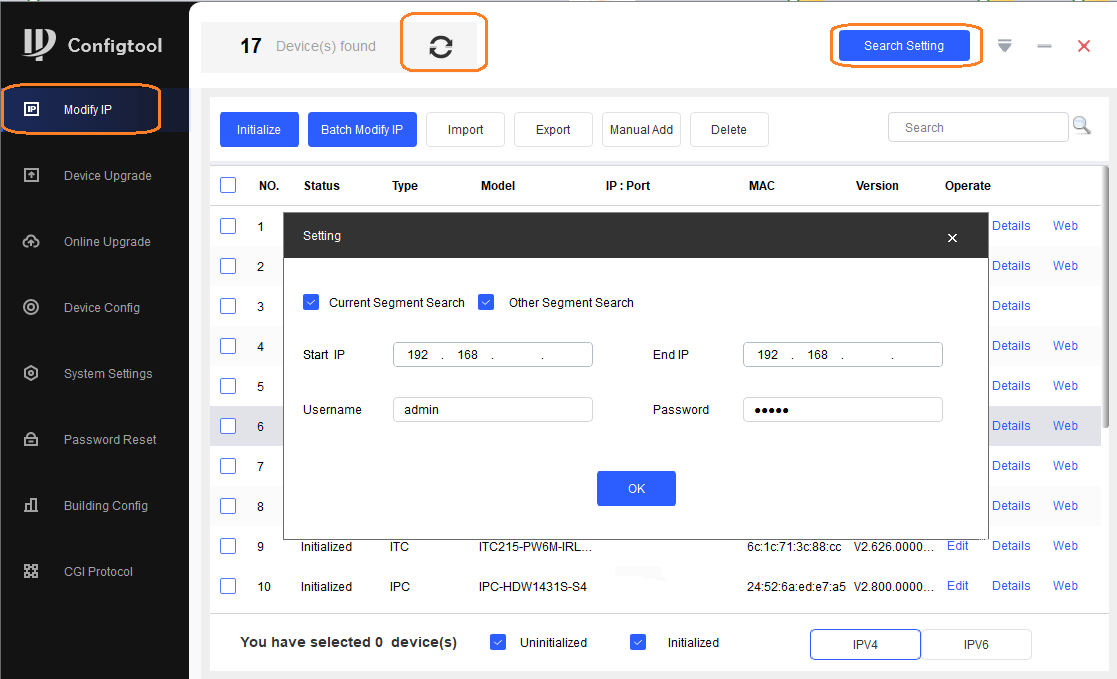
- Intelbras: ConfigTool software
- Set a static IP and configure the basic network
- Set the image standard to NTSC / 60Hz (see Important Alert)
- Sync date and time with the Darwin NTP server
- Configure video (resolution, bitrate, H.264 codec)
- Disable motion detection
- Enable continuous recording with audio enabled (G.711ulaw or G.711Mu)
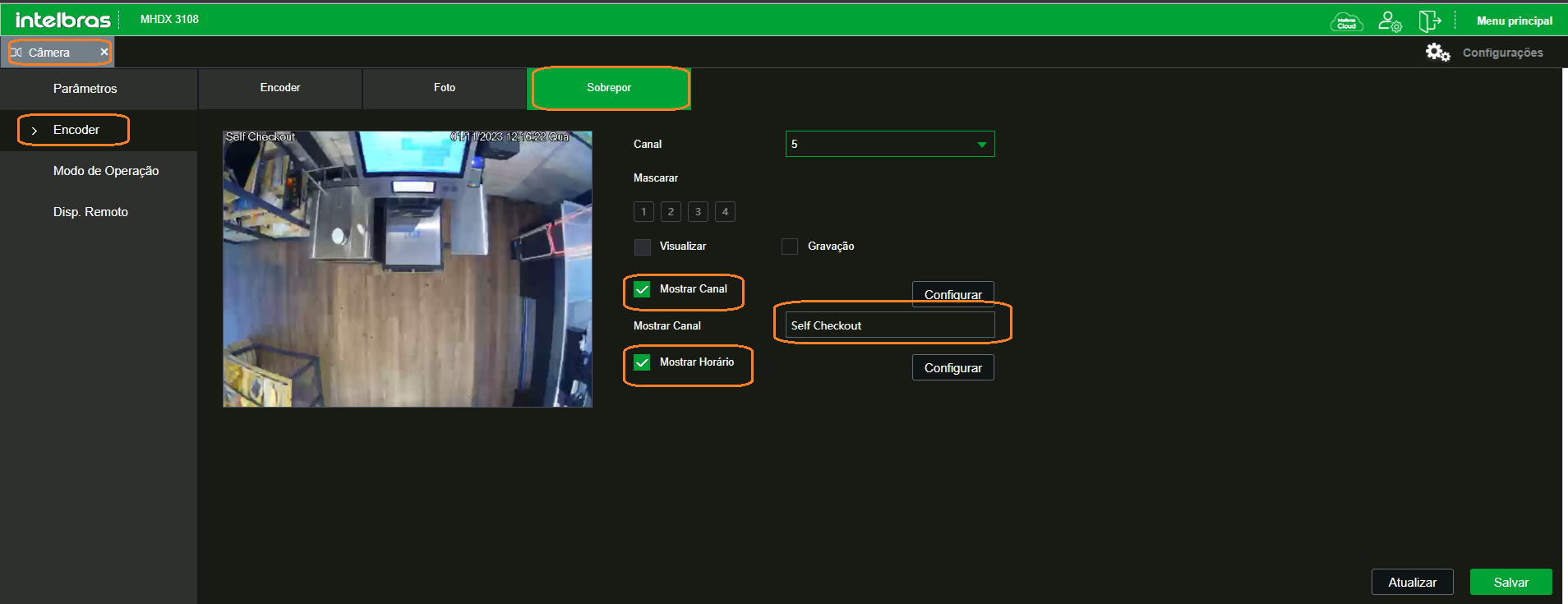
- Configure the OSD with POS name and date/time
- Format the HDD and confirm active recording status
¶ 🛠️ Hikvision – DVR / NVR
🔍 Location via SADP
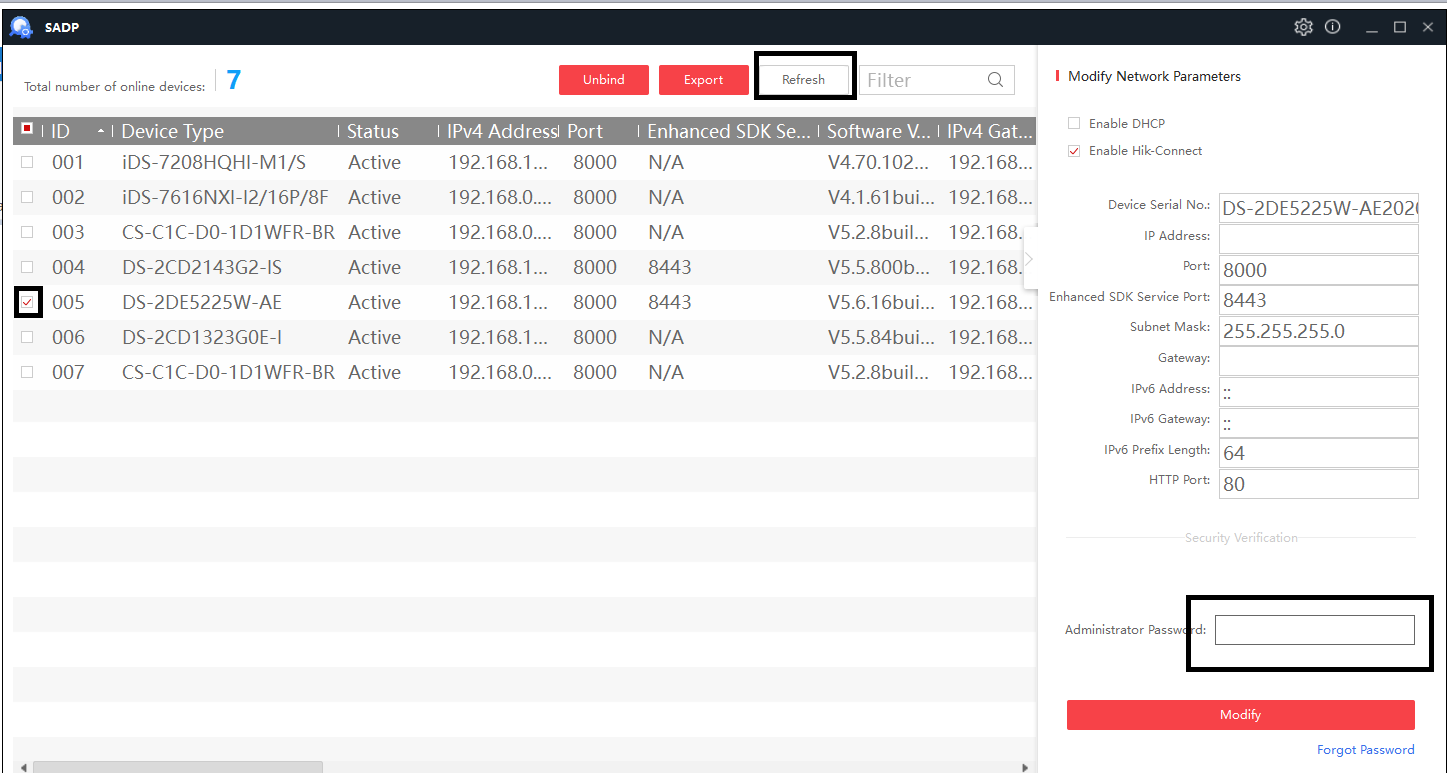
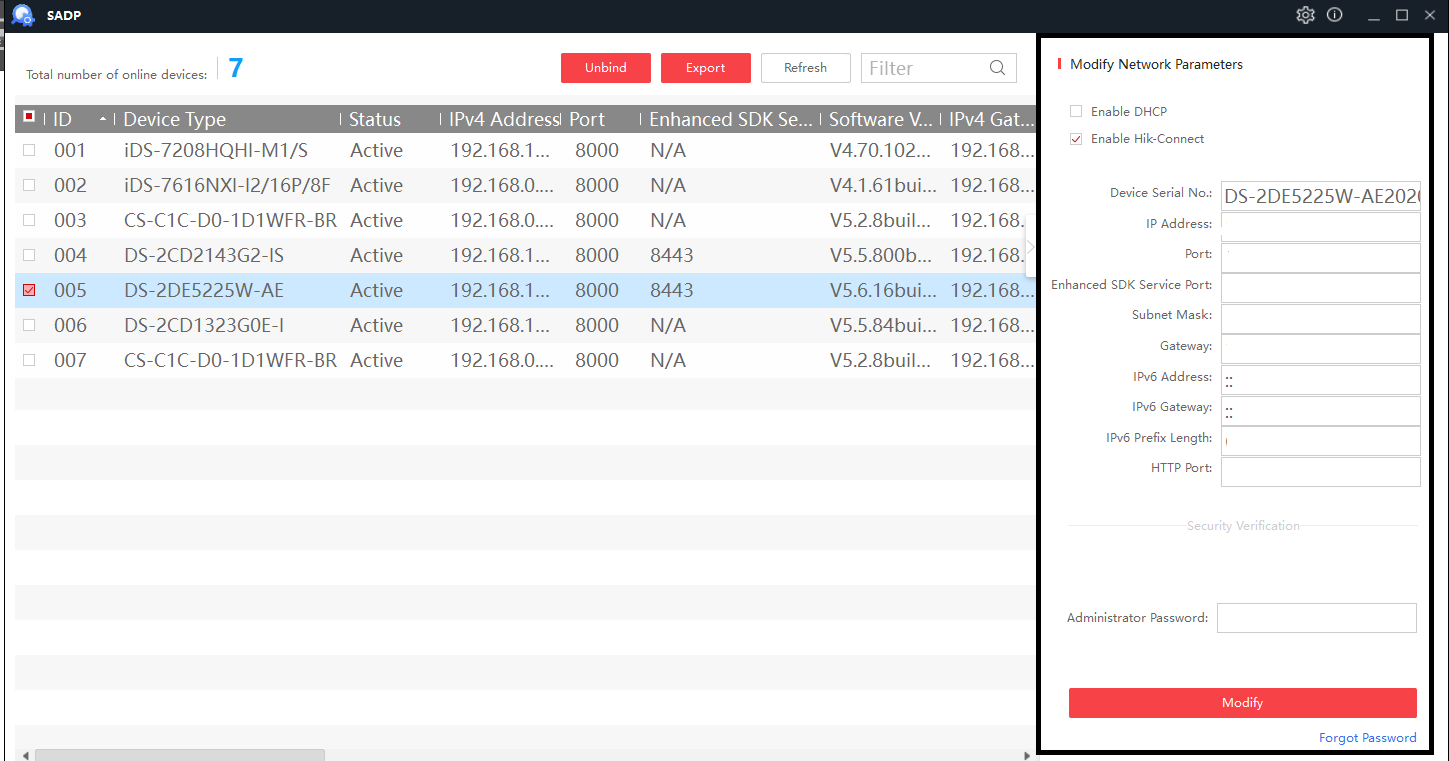
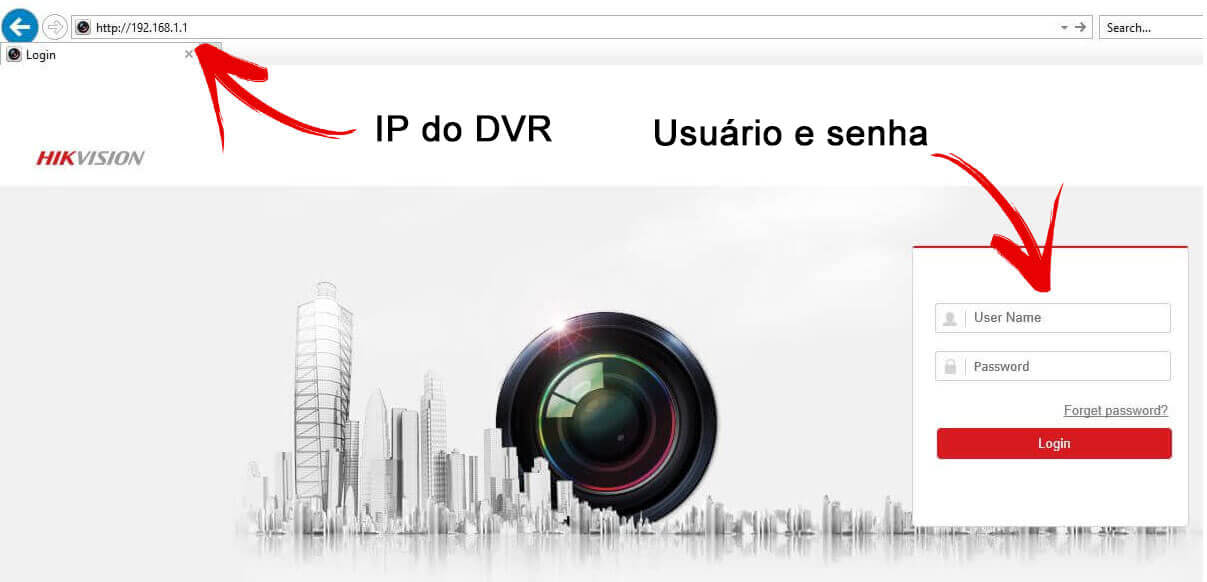
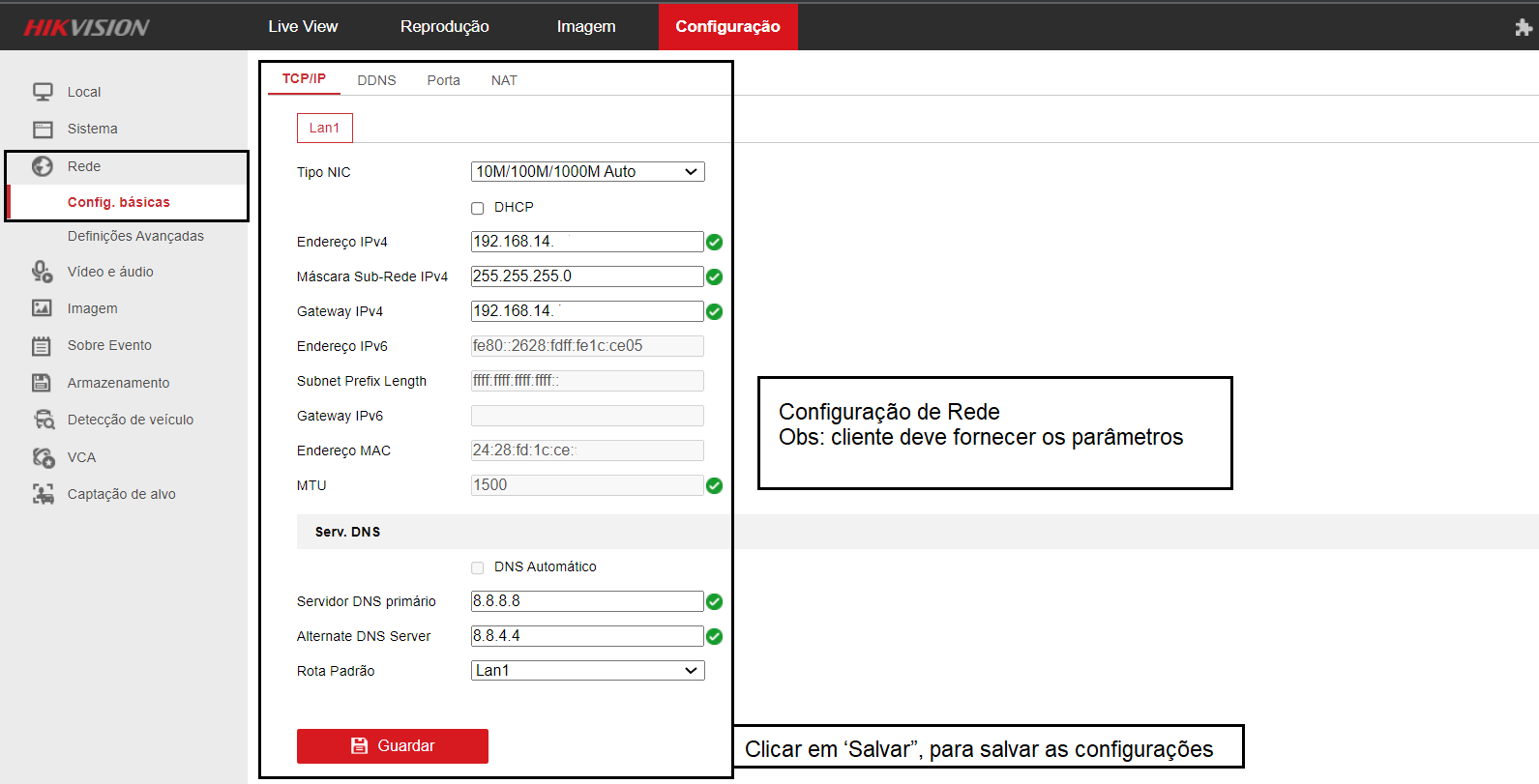
🔐 Initial Browser Settings
- Configure network with a static IP
- NTP: GMT-03:00, Darwin IP, port 123, 1 min interval
- RTSP/WEB: Digest
- Manage analog and IP cameras
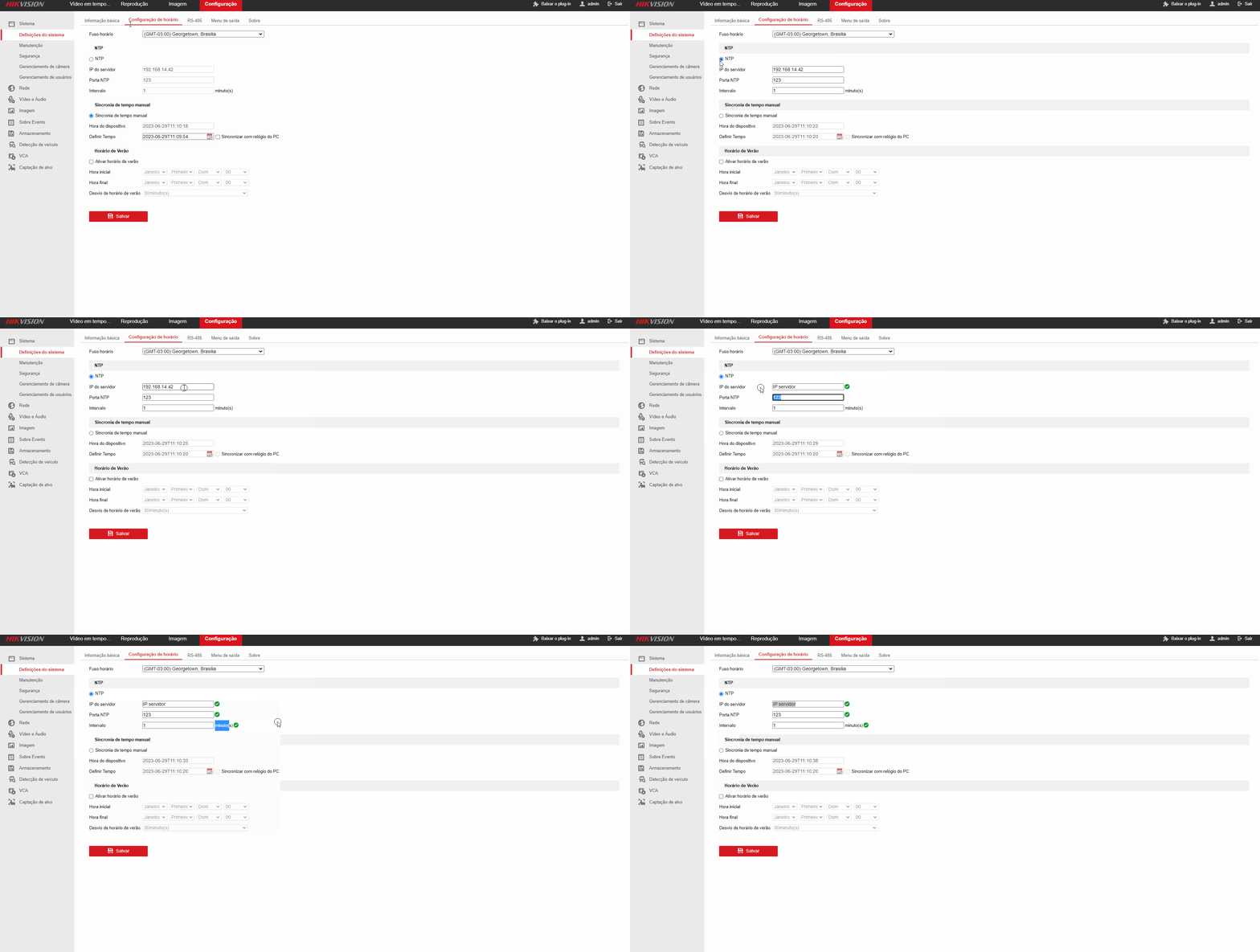



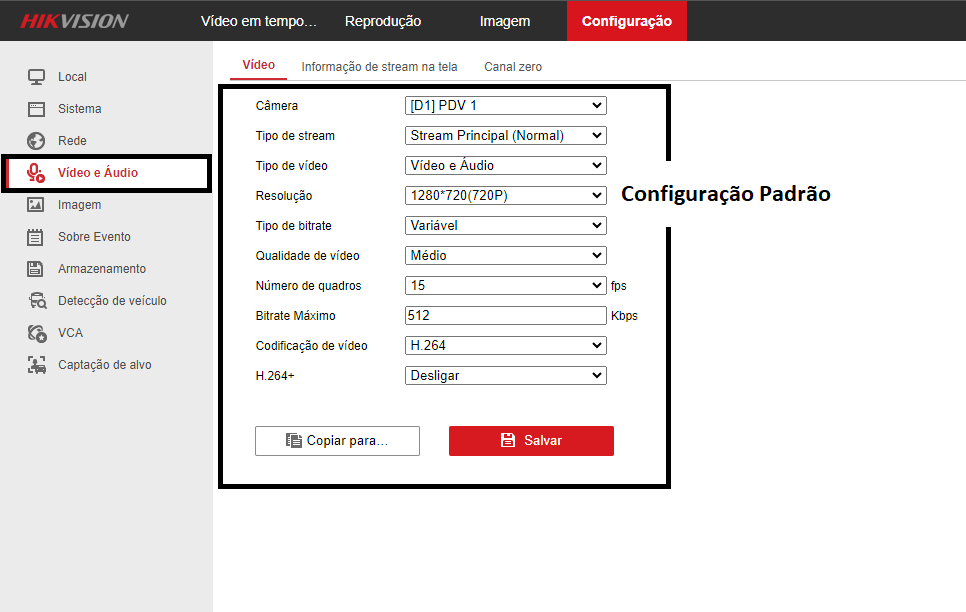
🎥 Video and Audio
Main Stream
- Resolution: 1280x720 (720p)
- FPS: 15
- Bitrate: 512 kbps (Variable)
- Codec: H.264
- Audio: G.711ulaw | Input: Line In | Volume: 50–60 | Noise Filter: OFF
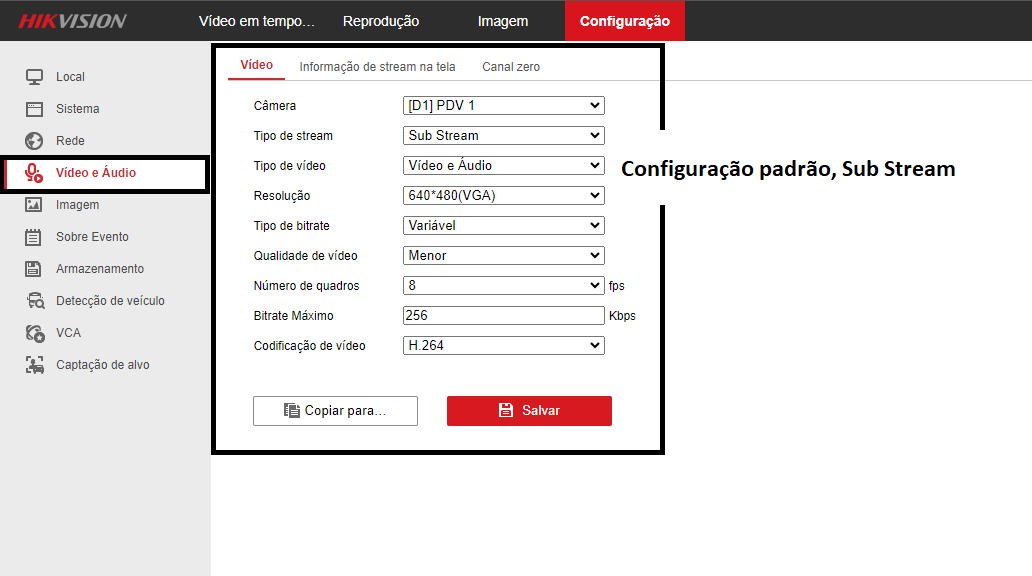
Substream
- Resolution: 640x360
- FPS: 8
- Bitrate: 256 kbps
- Codec: H.264
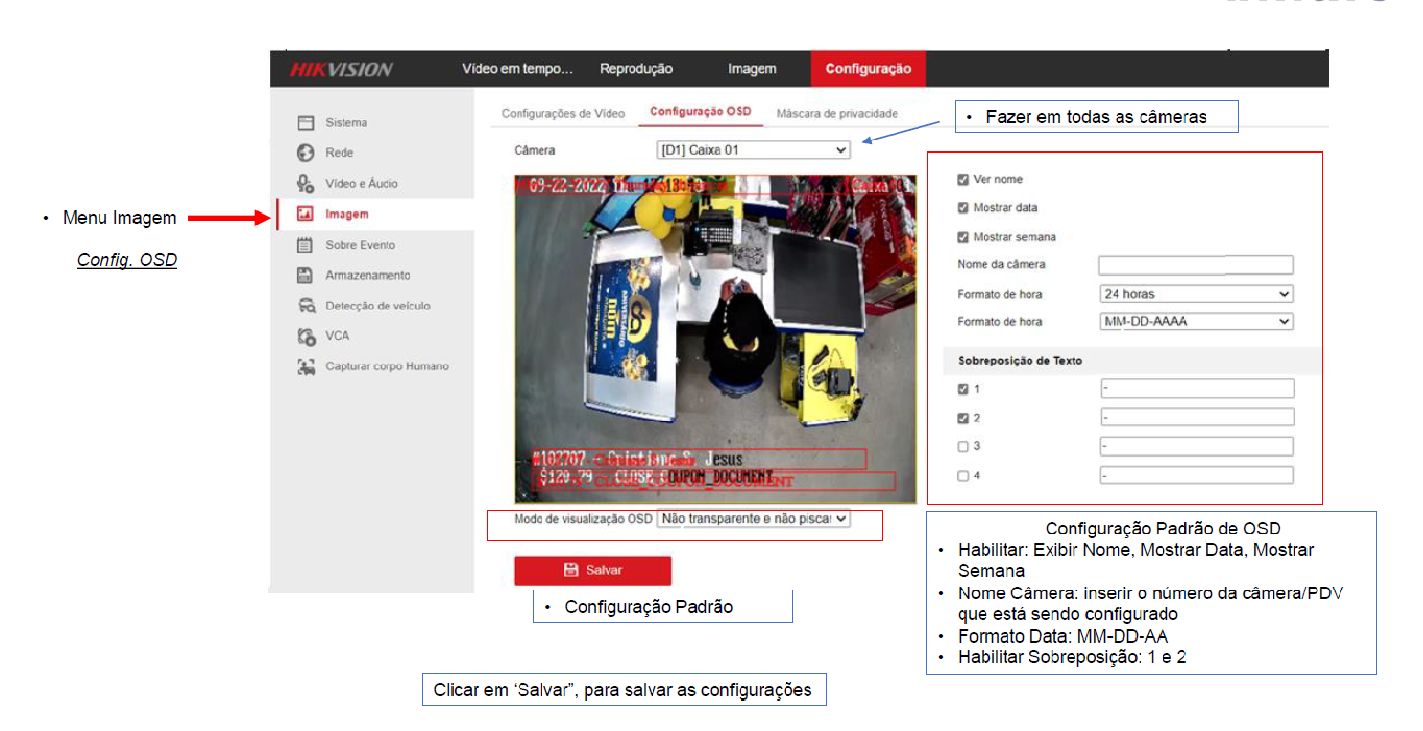
📝 OSD and Date (Name on Camera)
- Show Name, Date, and Week
- Camera Name = POS number
- Format: MM/DD/YYYY
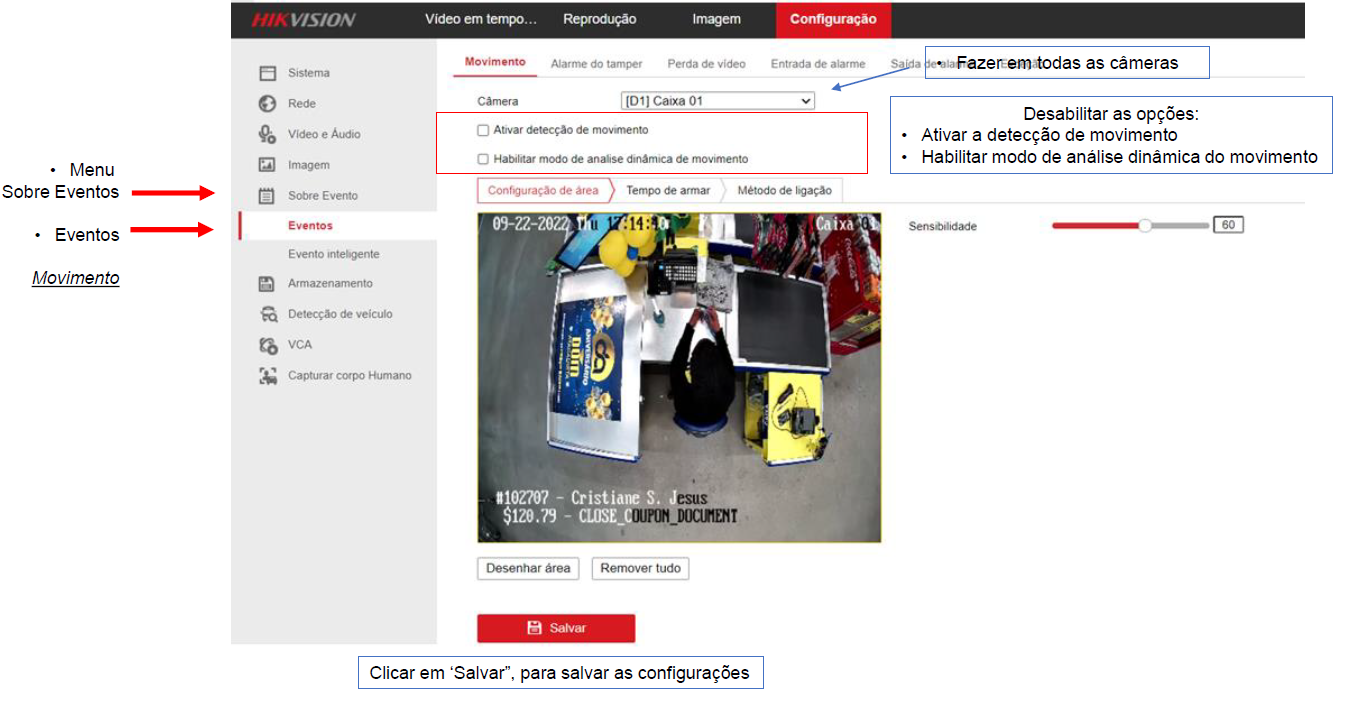
🚫 Motion Detection
- Disable all detection options and clear the grid
💾 Storage
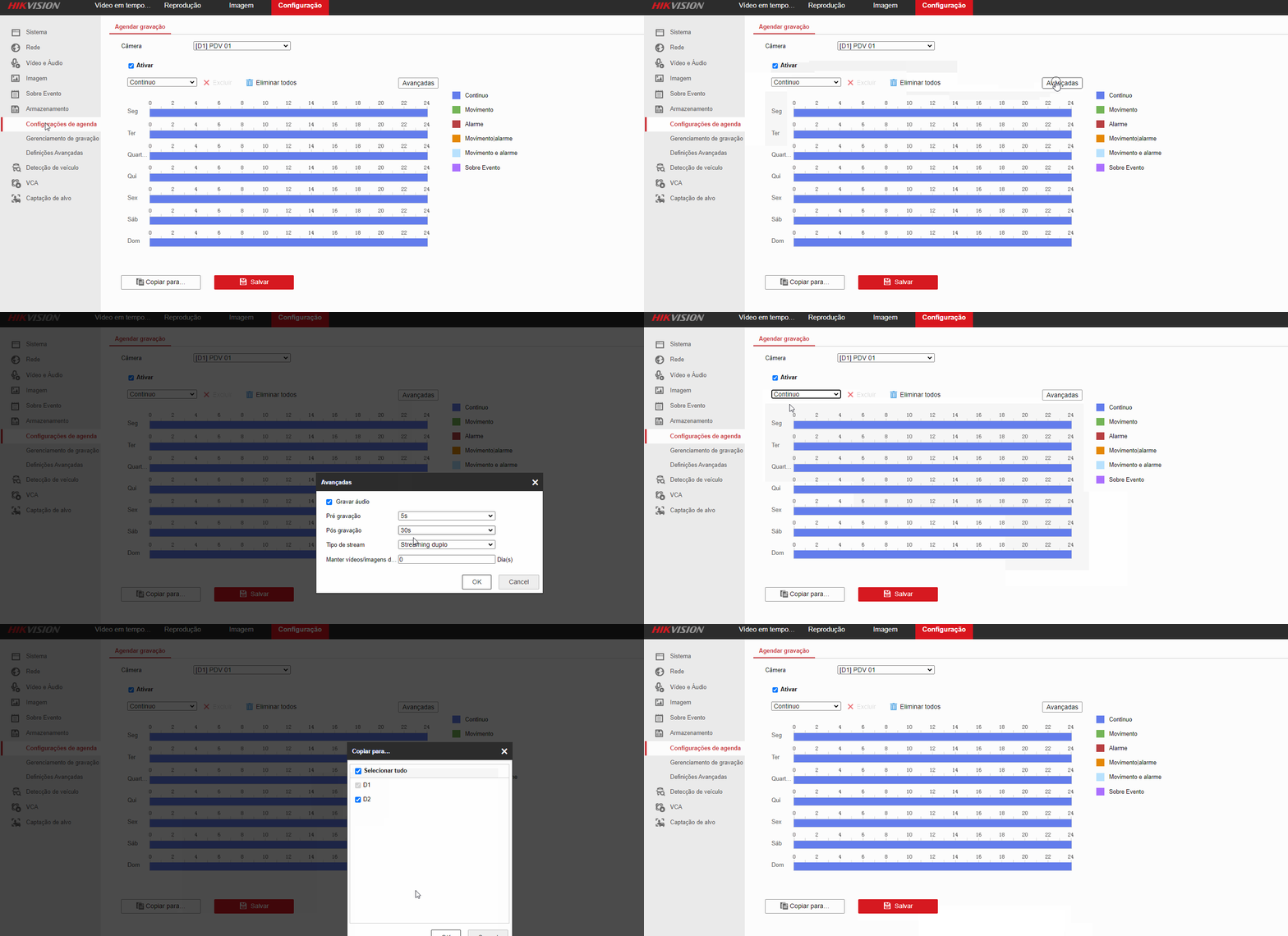
- Type: Continuous recording
- Pre-record: 5s | Post-record: 30s | Dual Stream
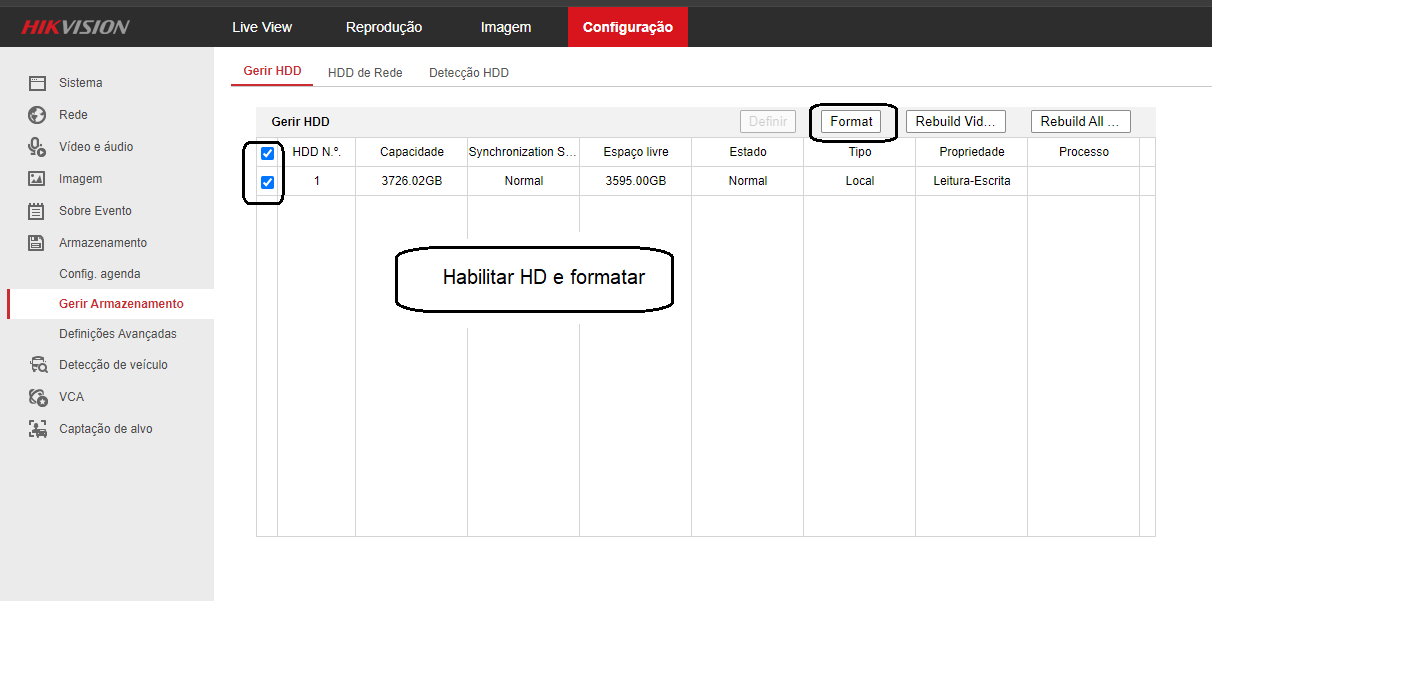
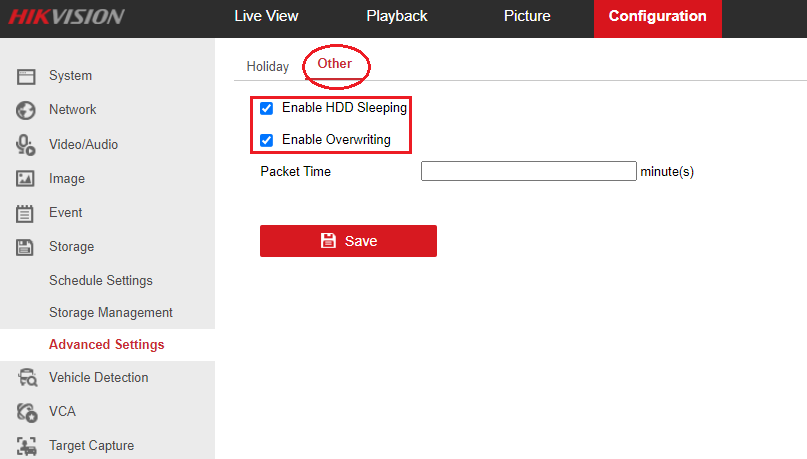
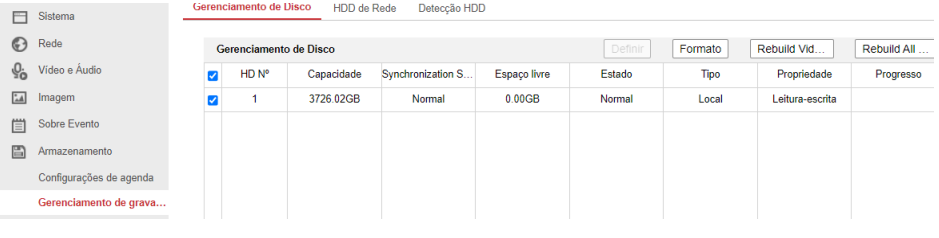
- HDD: Format, enable sleep and overwrite

¶ 📷 Hikvision – IP Cameras
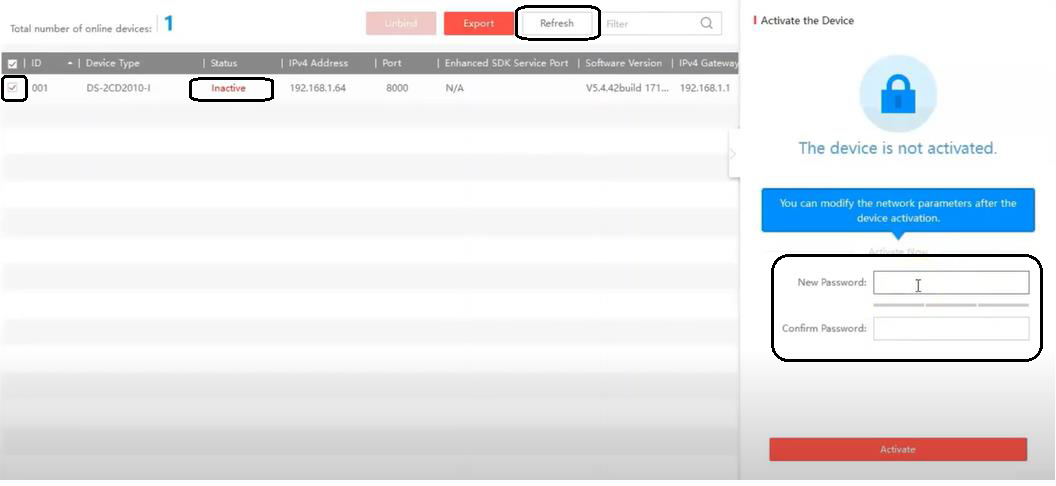
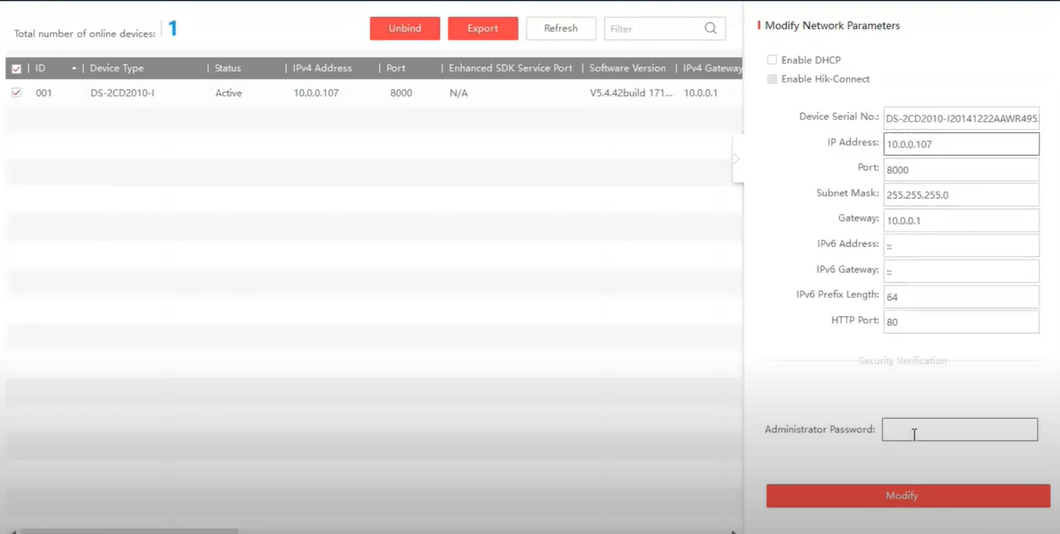
🧭 Location via SADP
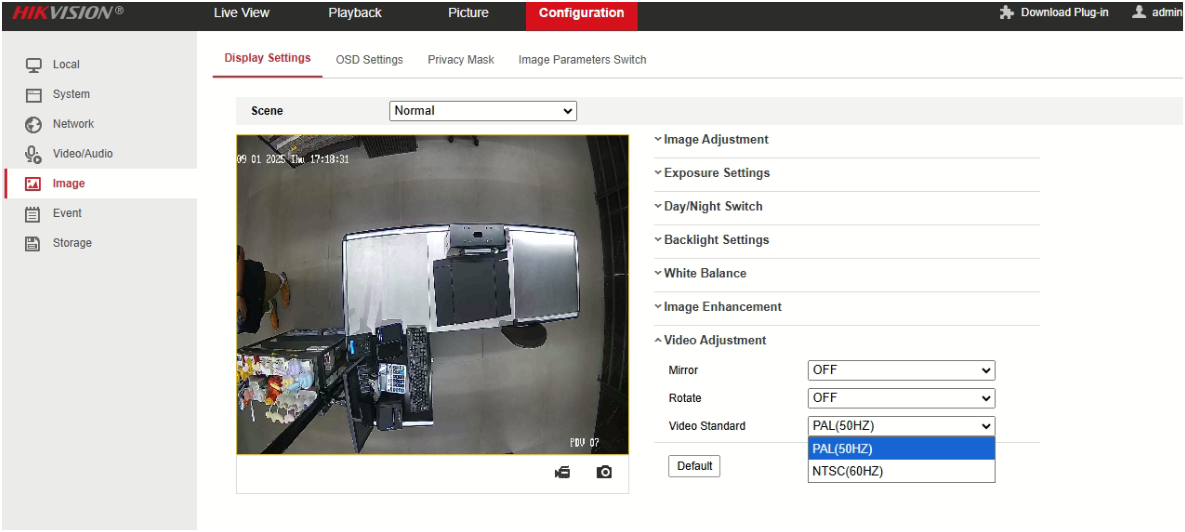
🖼️ Image Standard – NTSC / 60Hz
Required standard in Brazil: 60Hz
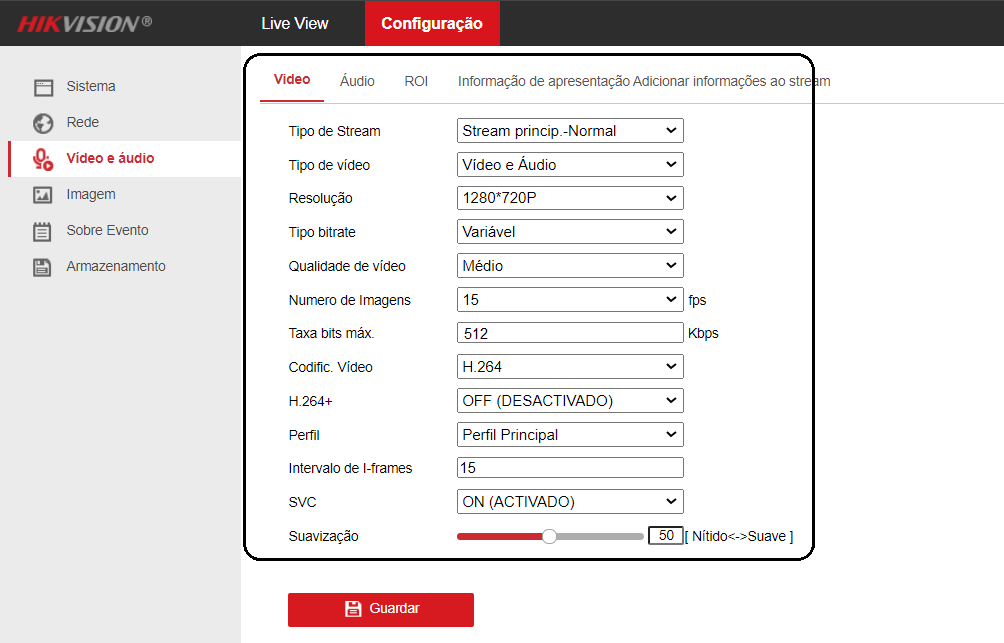
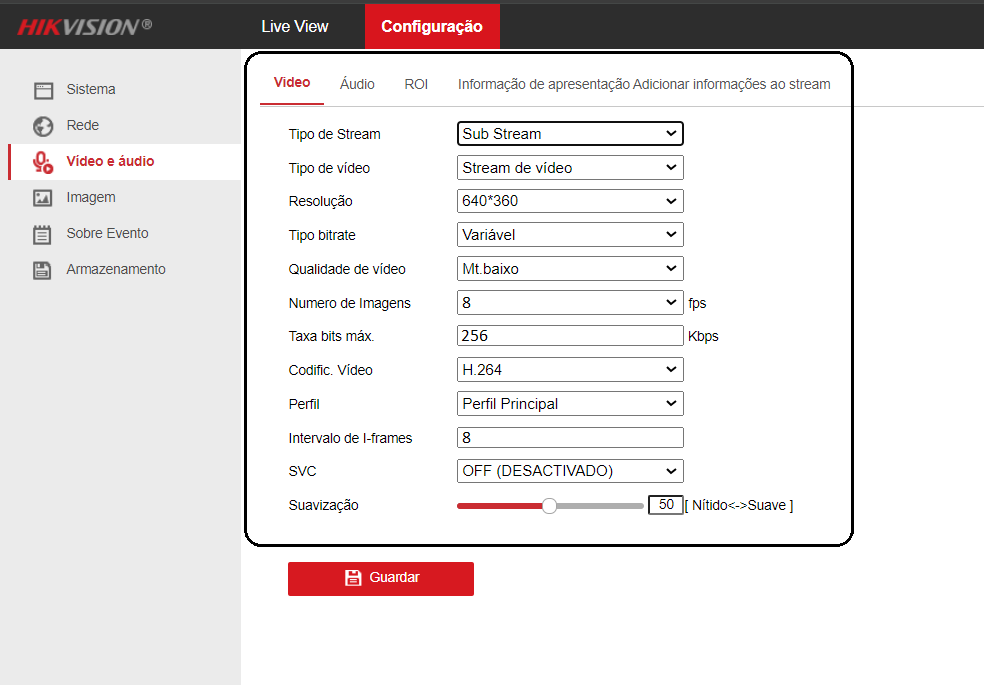
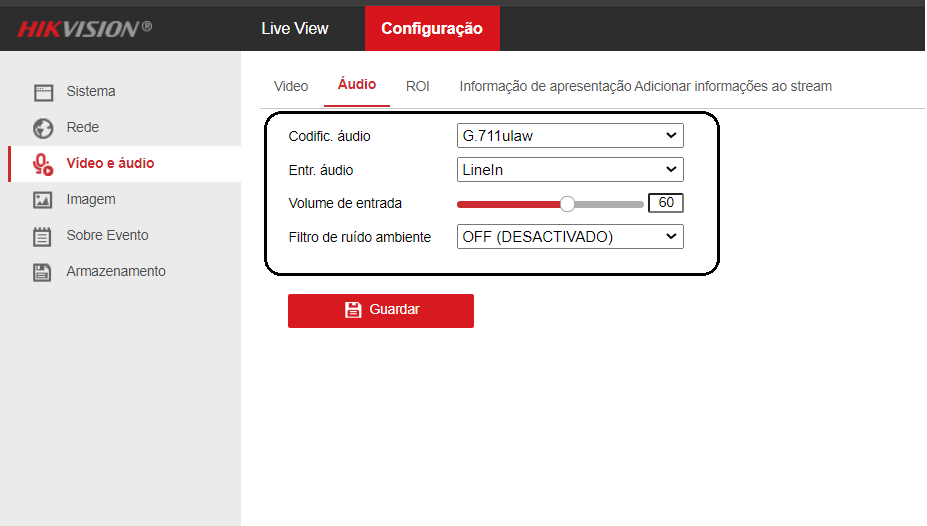
🎥 Video, Audio, and Stream
- Main: 720p, 15 FPS, 512 kbps, H.264
- Substream: 4CIF or 640x360, 8 FPS, 256 kbps
- Audio: G.711ulaw | Line In Input | Volume 50–60 | Noise Filter: OFF
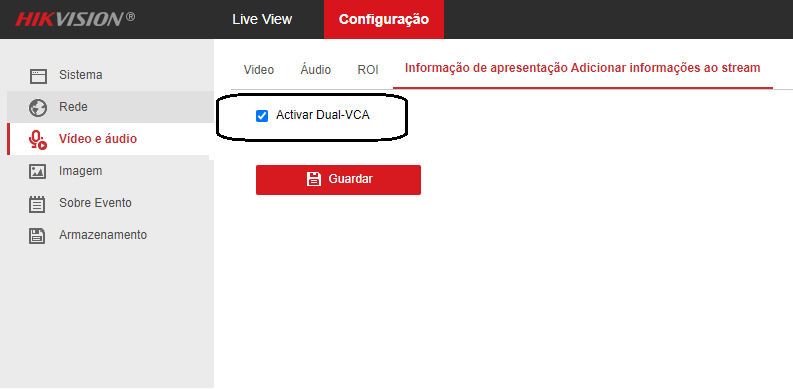
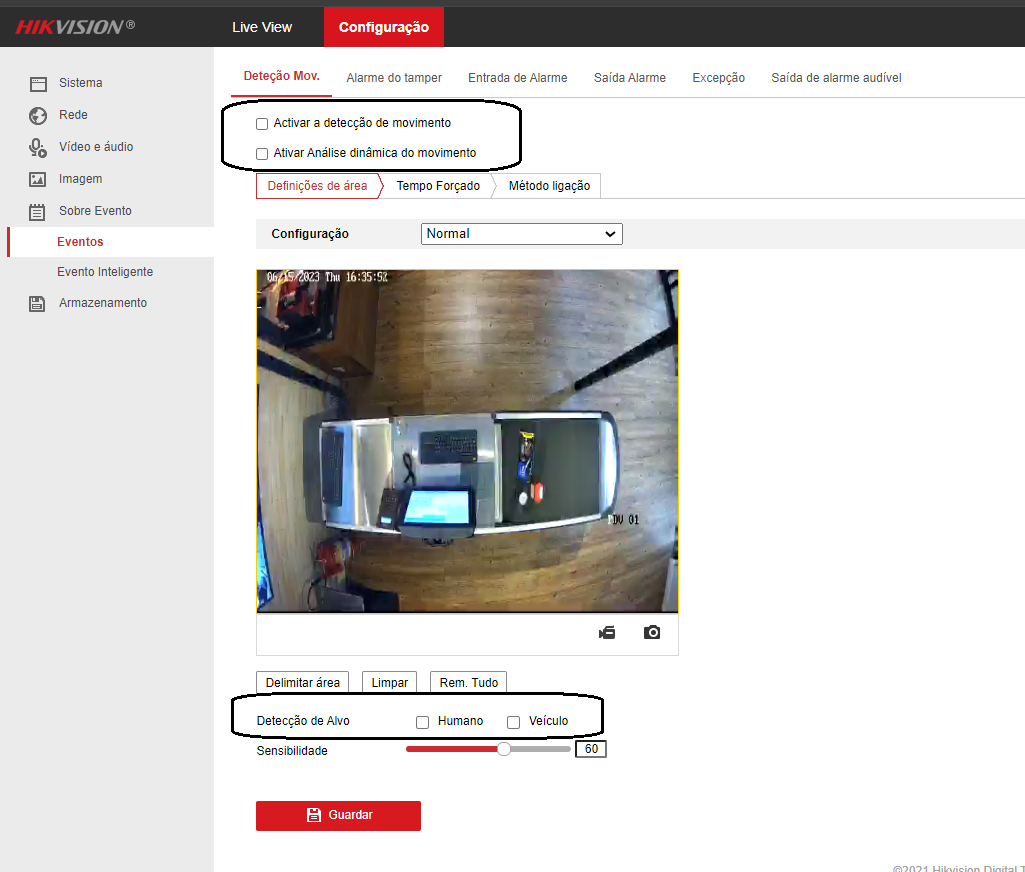
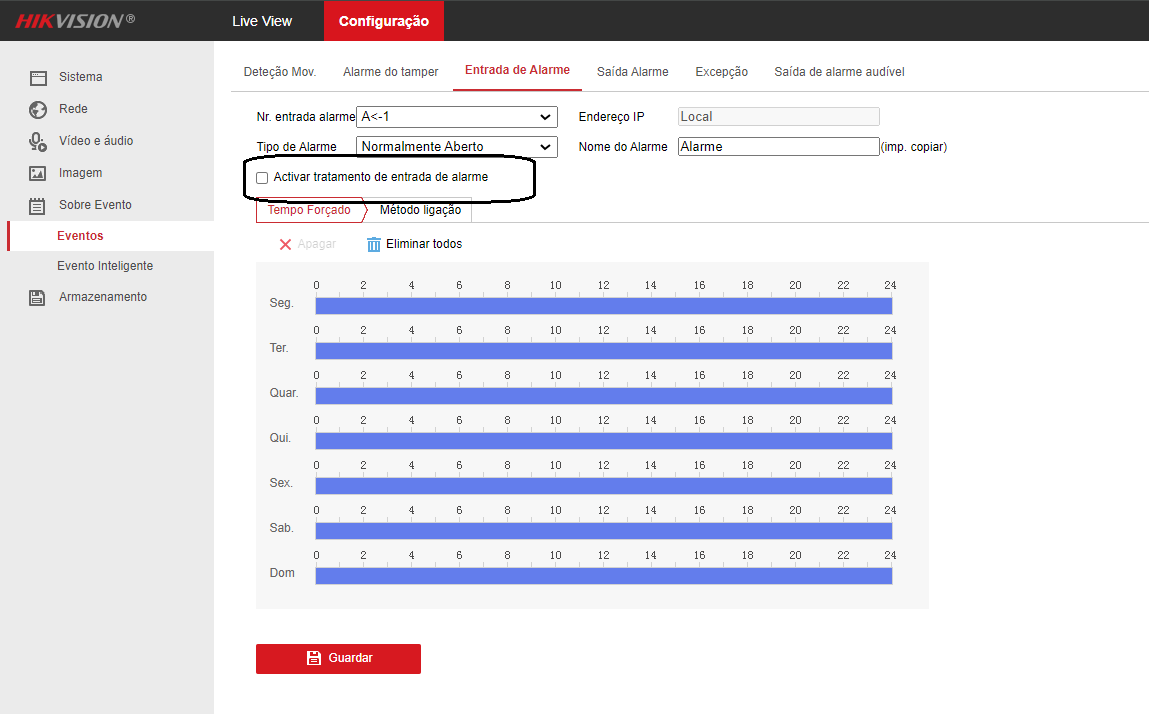
⚙️ Advanced Settings
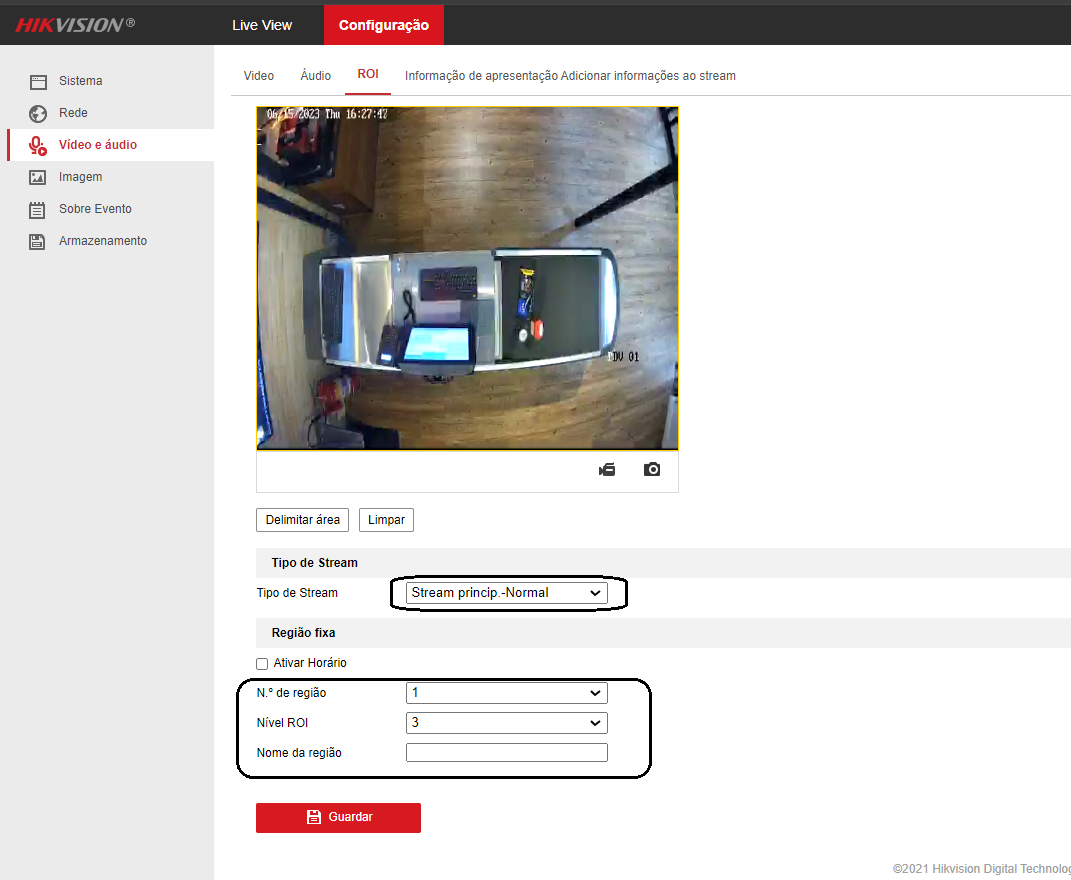
- Default ROI
- Dual VCA Enabled
- Disable Events, Line Crossing Detection, and Alarm Input

💾 Storage and NTP
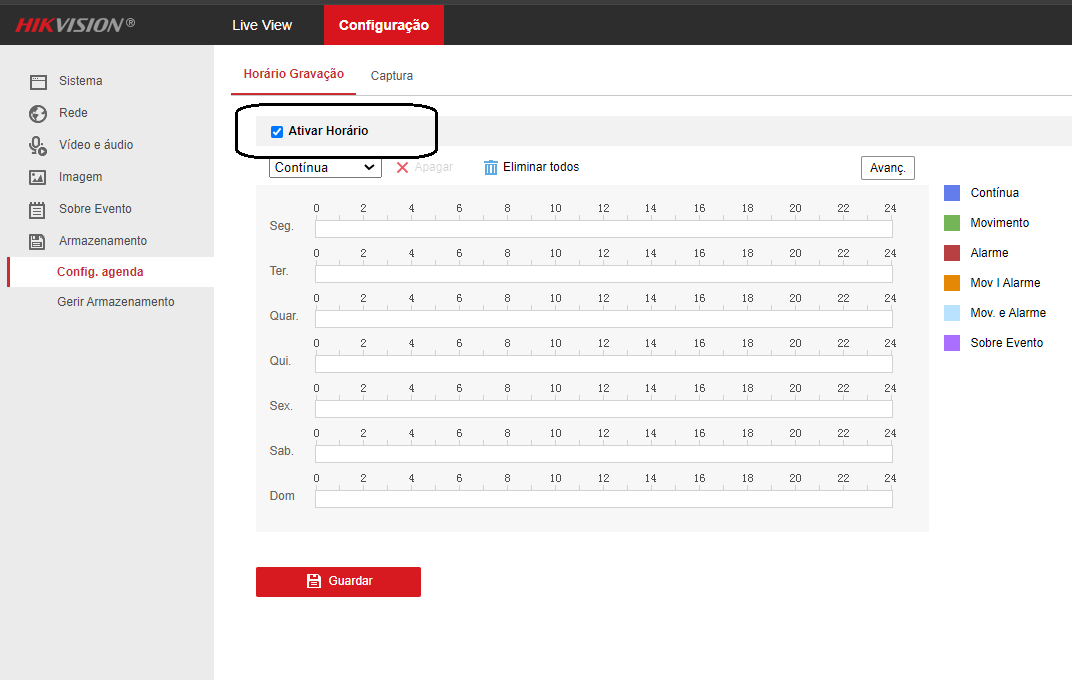
- Enable continuous recording
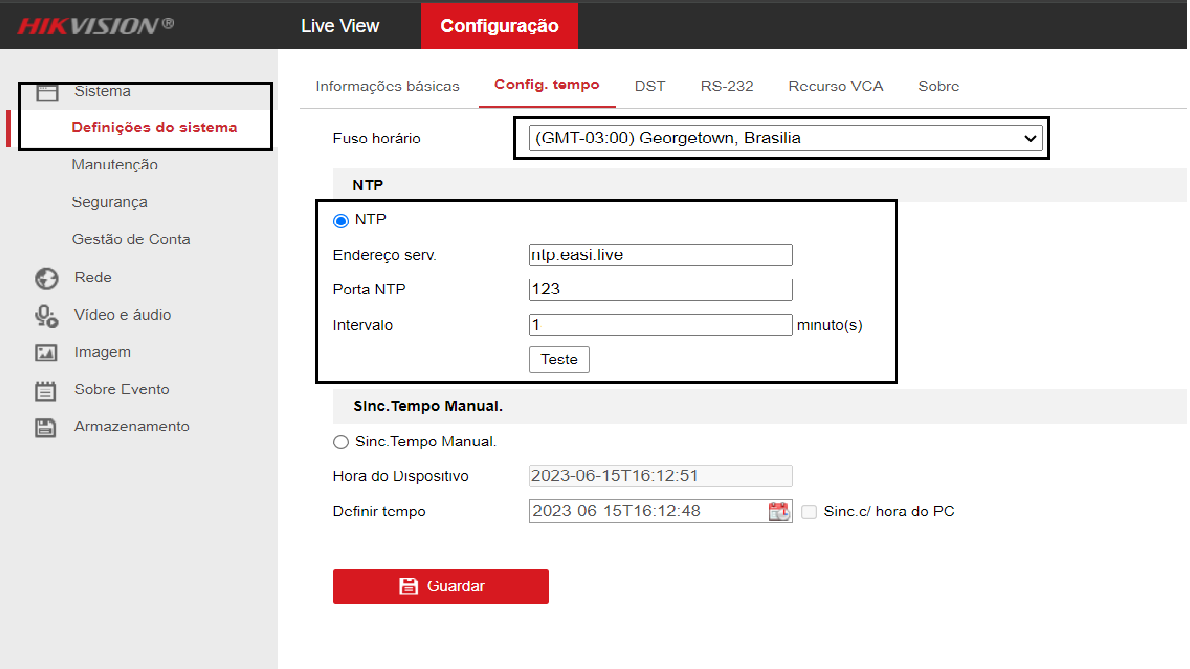
- NTP: GMT-03:00, Darwin IP, port 123, 1 min interval
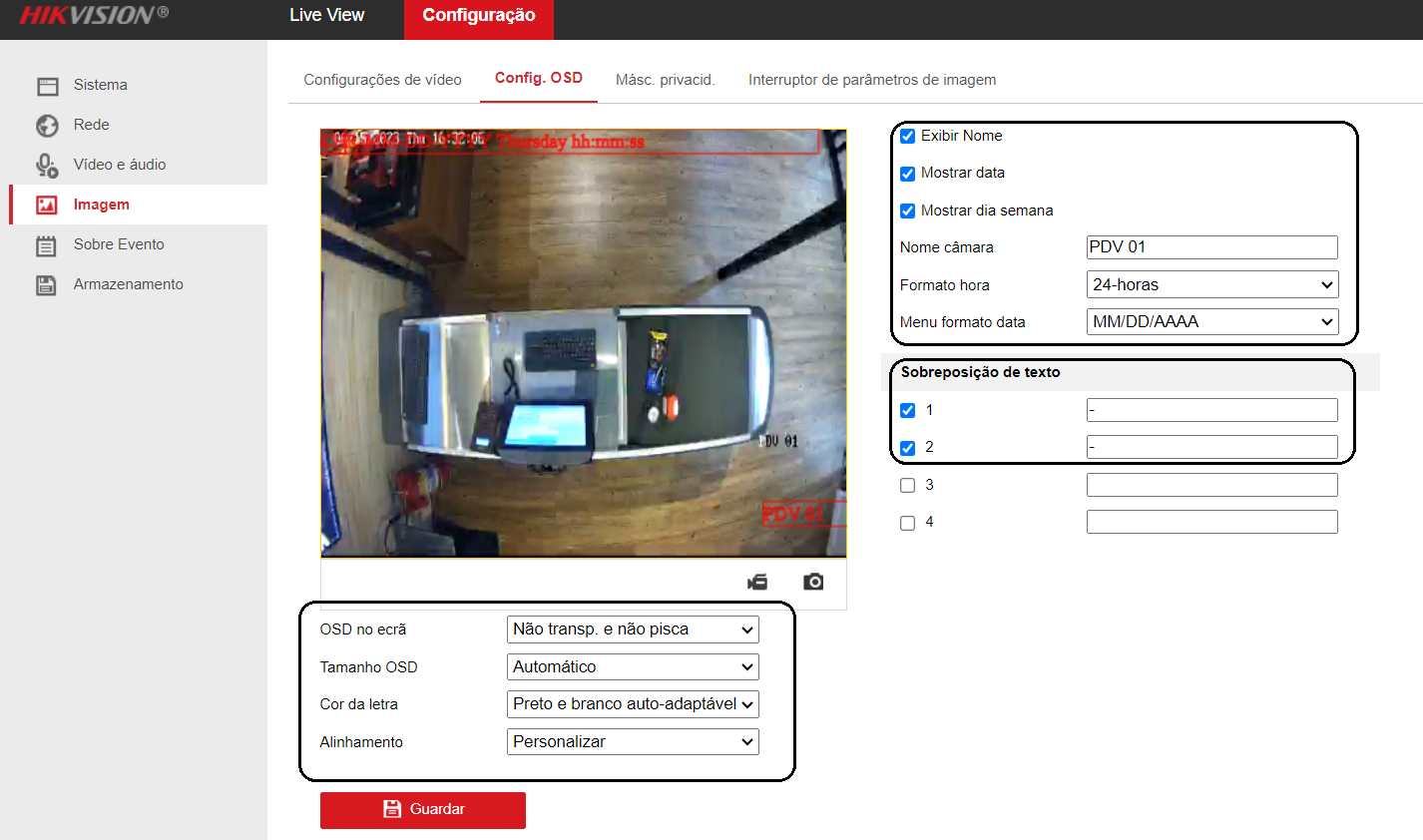
📝 OSD and Privacy (Name on Camera)
- Show Name, Date, and Week
- POS name
- Format: MM/DD/YYYY
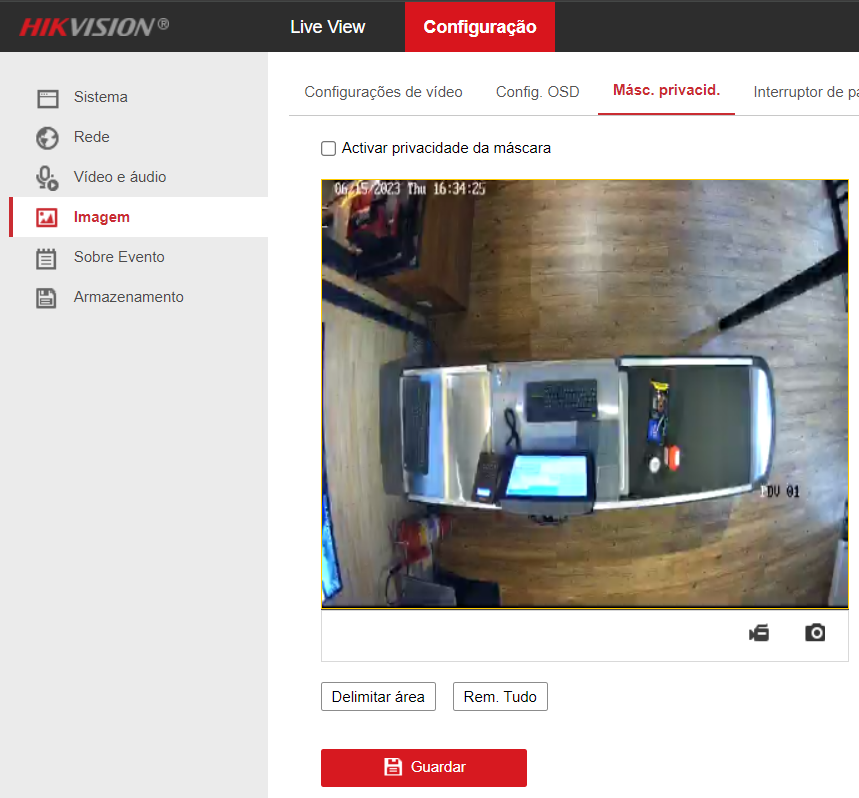
- Disable privacy mask
🔐 Security and Network
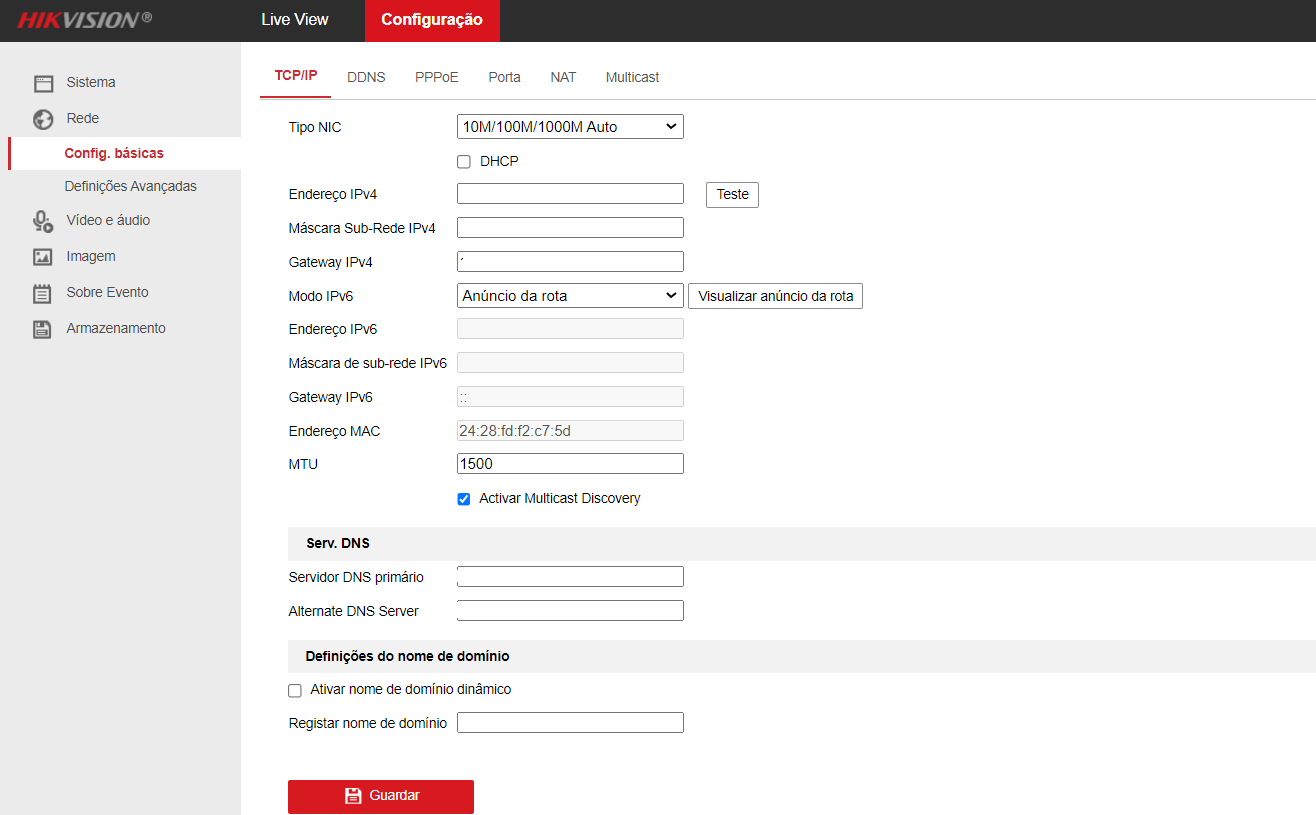
- RTSP/WEB: Digest
- Network: static IP per the client standard (disable advanced options)

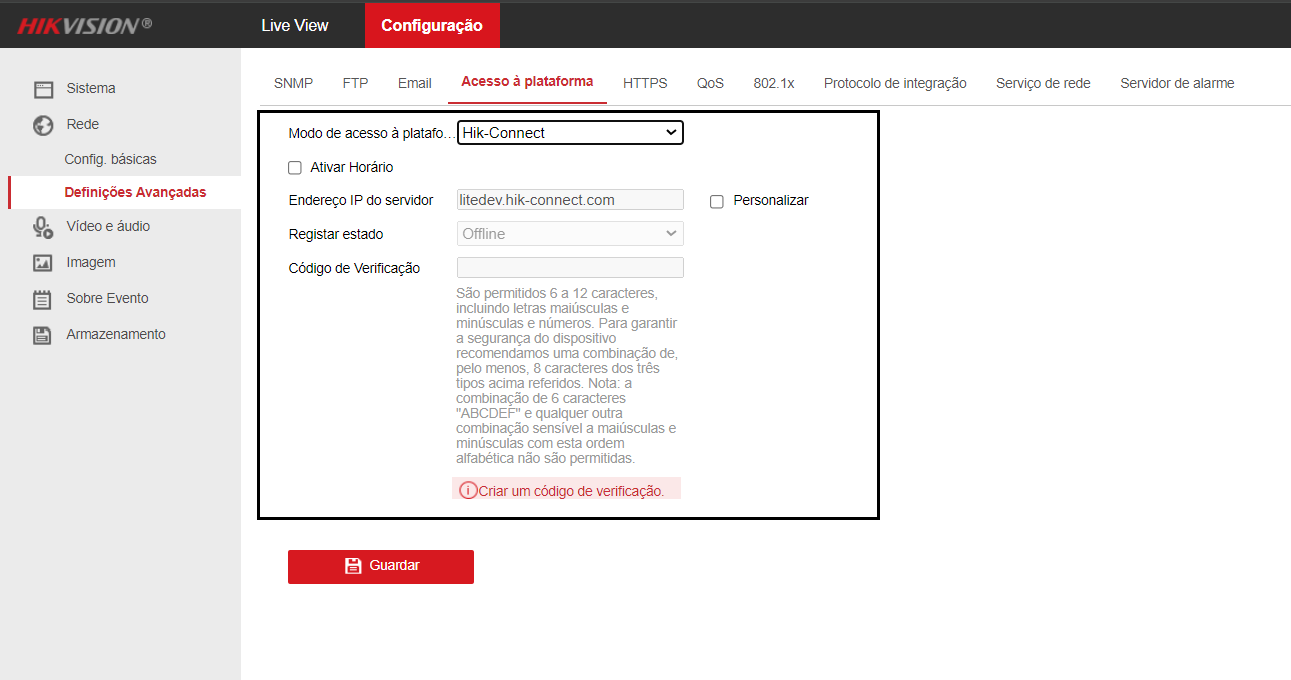
¶ 📺 Intelbras – DVR / NVR
🔍 Location via ConfigTool
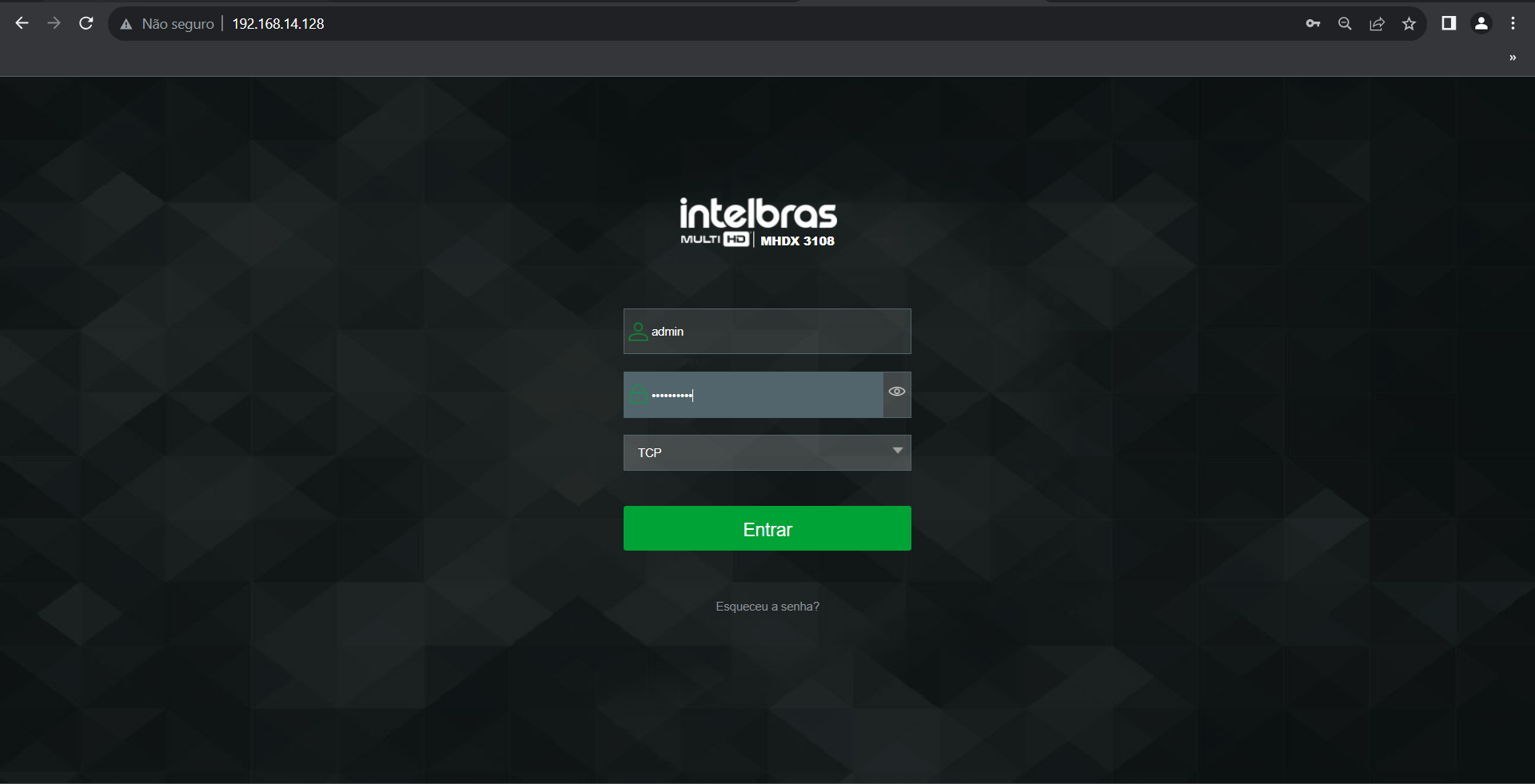
🎥 Video and Audio
Main Stream
- Resolution: 1280x720 (720p)
- FPS: 15
- Codec: H.264B
- Bitrate: 512 kbps (VBR)
- Quality: 3–4
Substream
- Resolution: 704x576 (D1)
- FPS: 8
- Codec: H.264B
- Bitrate: 256 kbps (VBR)
Audio
- Enable Audio: On
- Compression: G.711Mu
- Input: HDCVI


📝 OSD and Identification (Name on Camera)
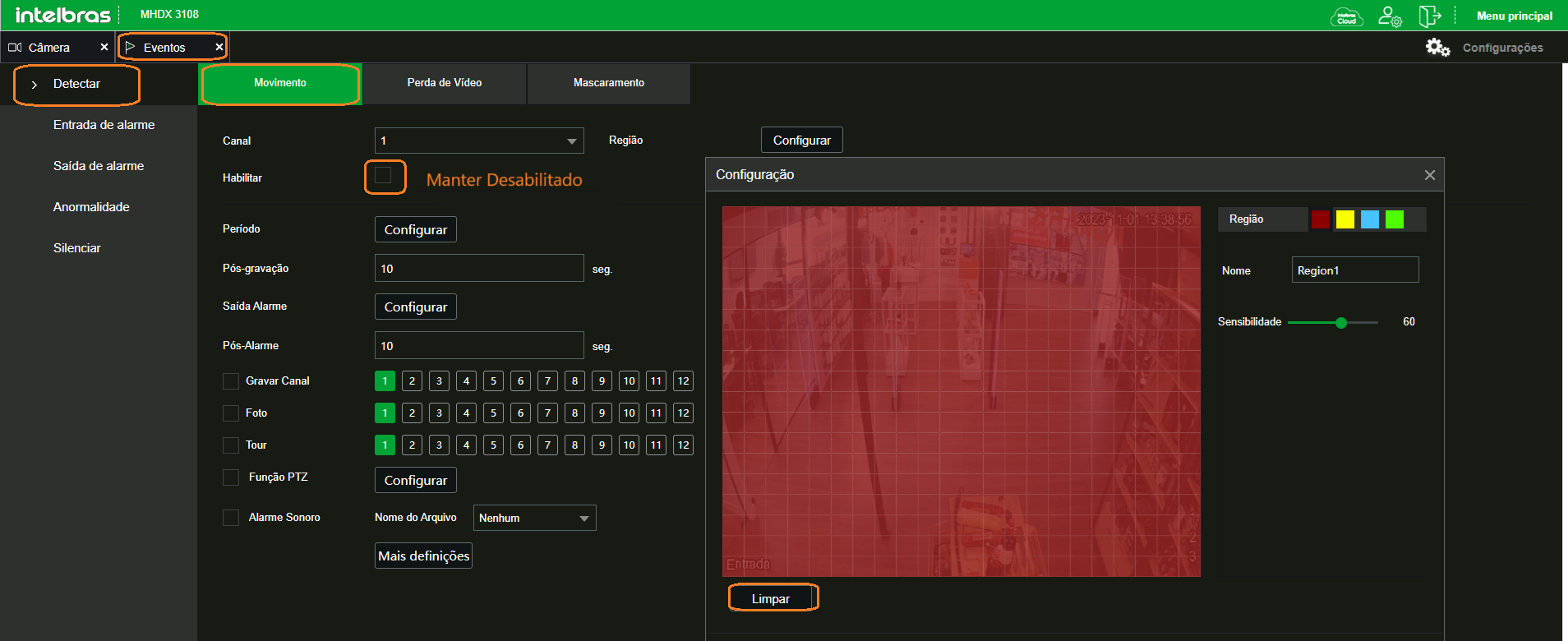
🚫 Motion Detection
- Disable all detection options
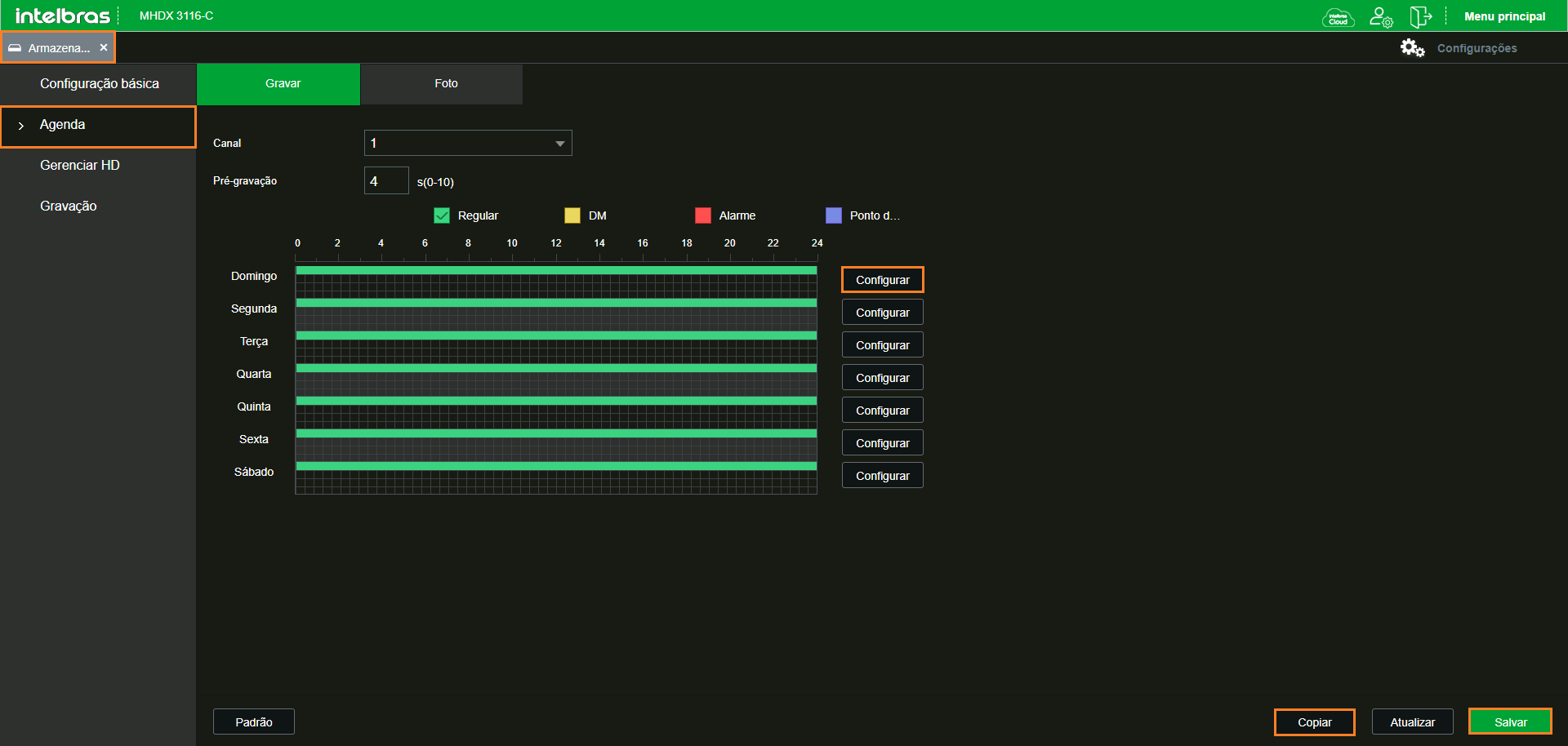
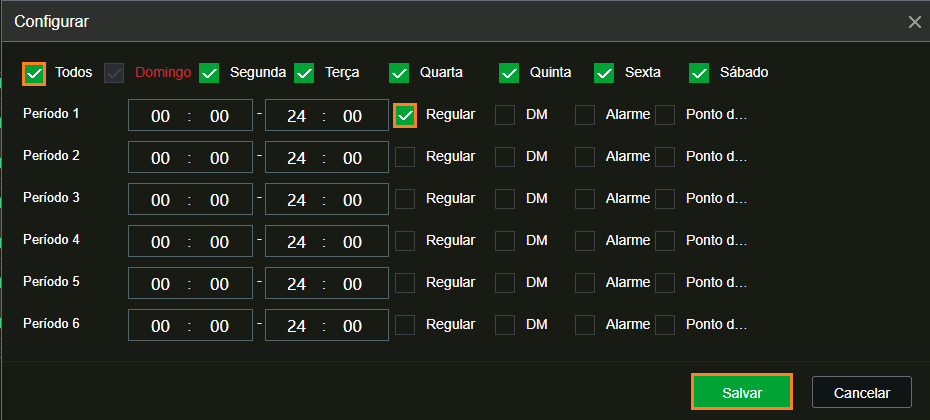
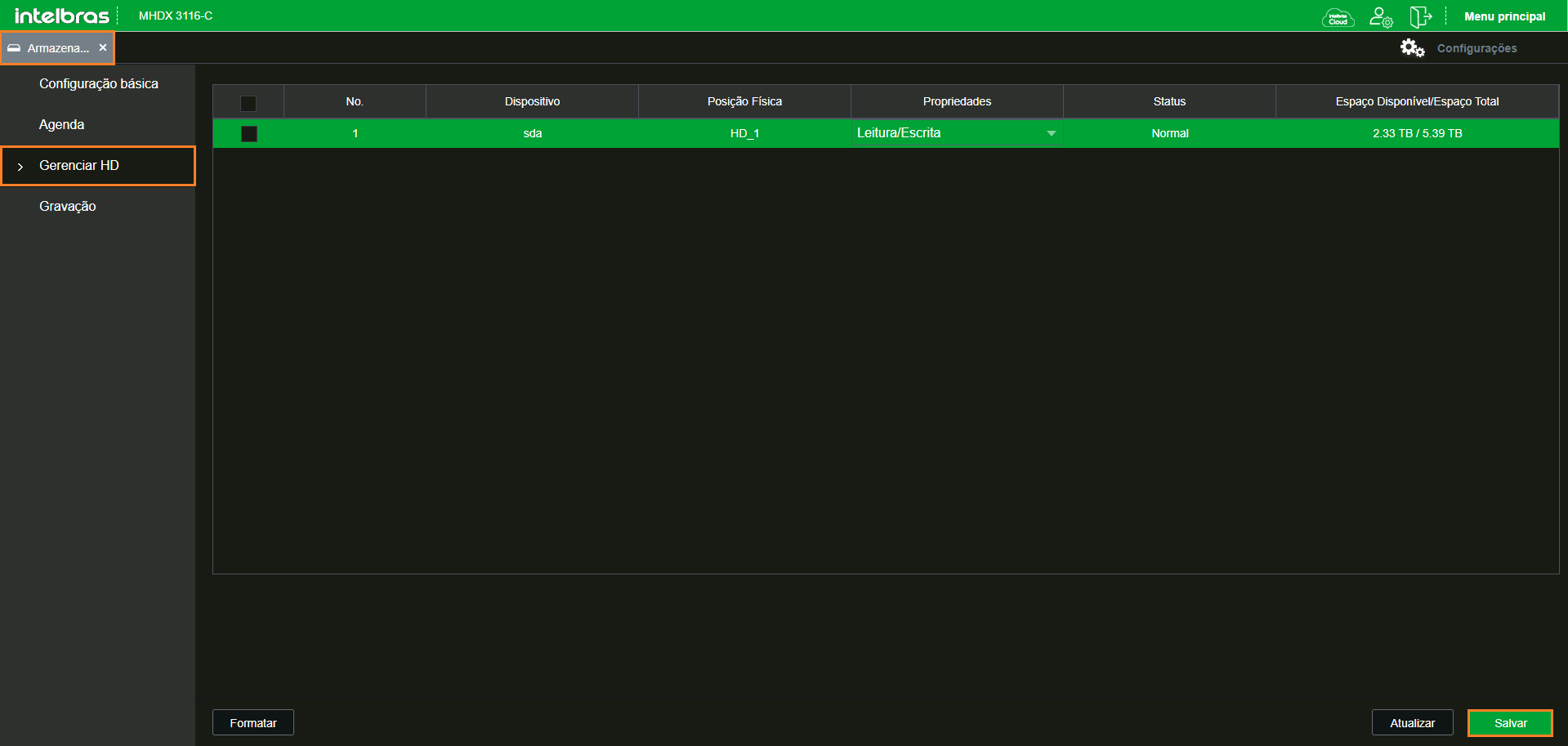
💾 Storage
- Continuous recording
- HDD with overwrite enabled
- 30 min segmentation
- Read/Write enabled

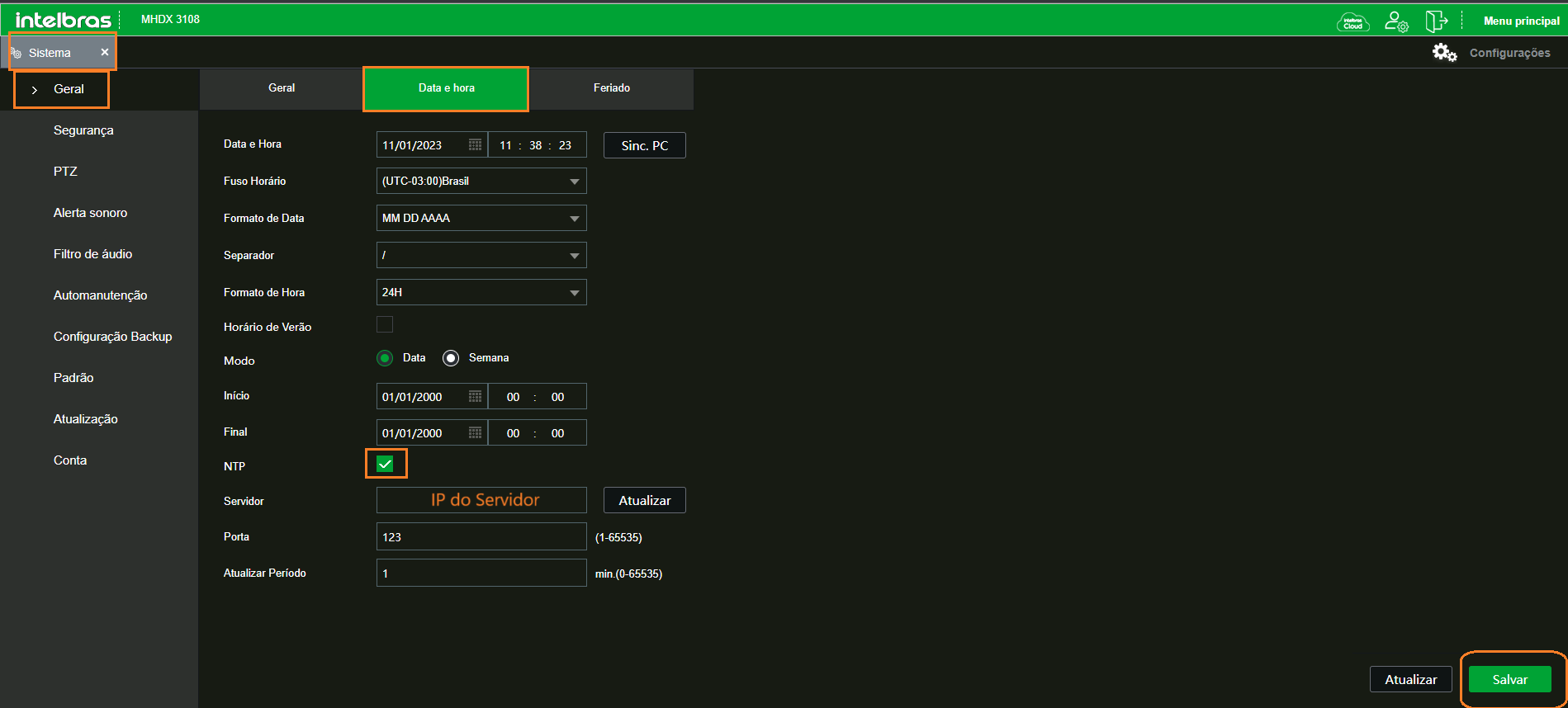
🌐 Network and NTP
- Static IP per the client standard
- NTP: GMT-03:00, Darwin IP, port 123, 1 min interval
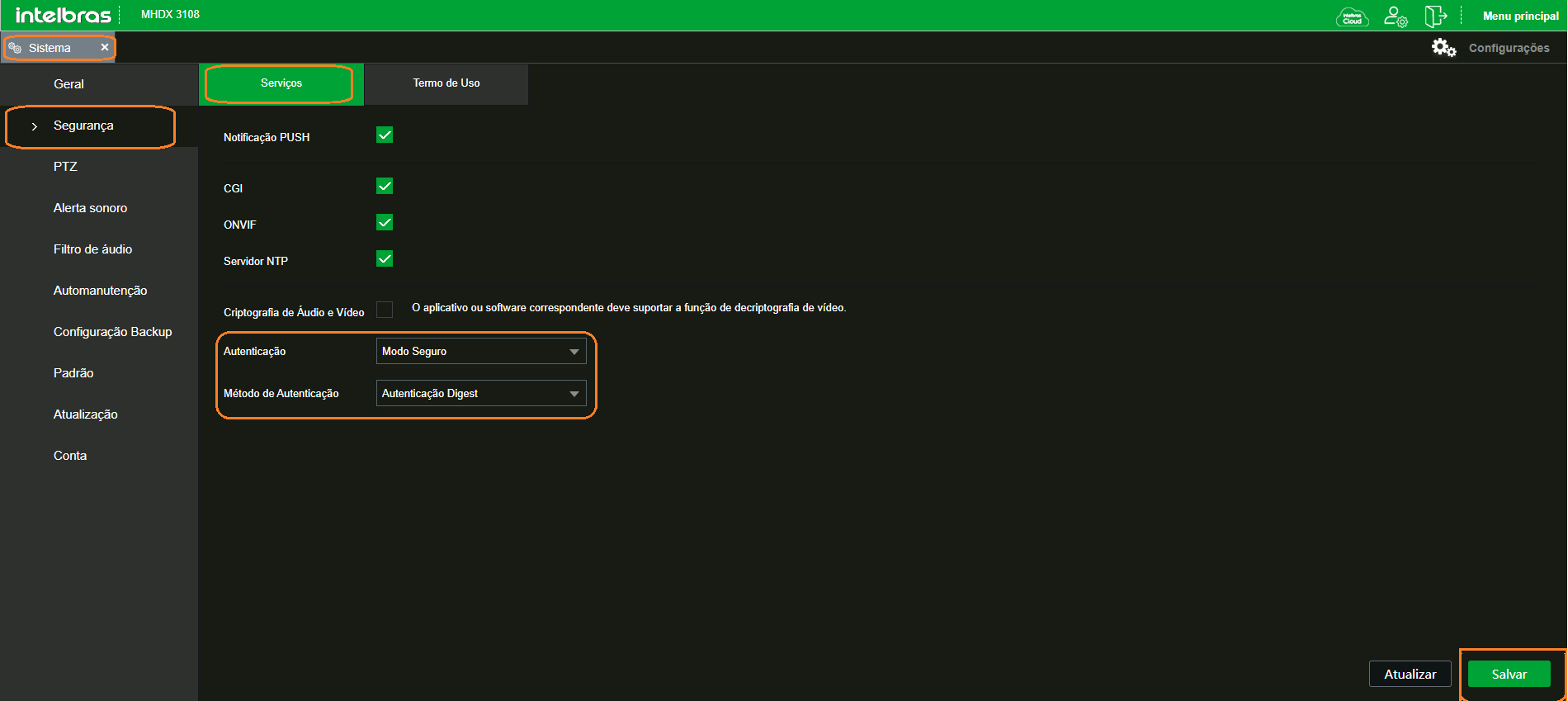
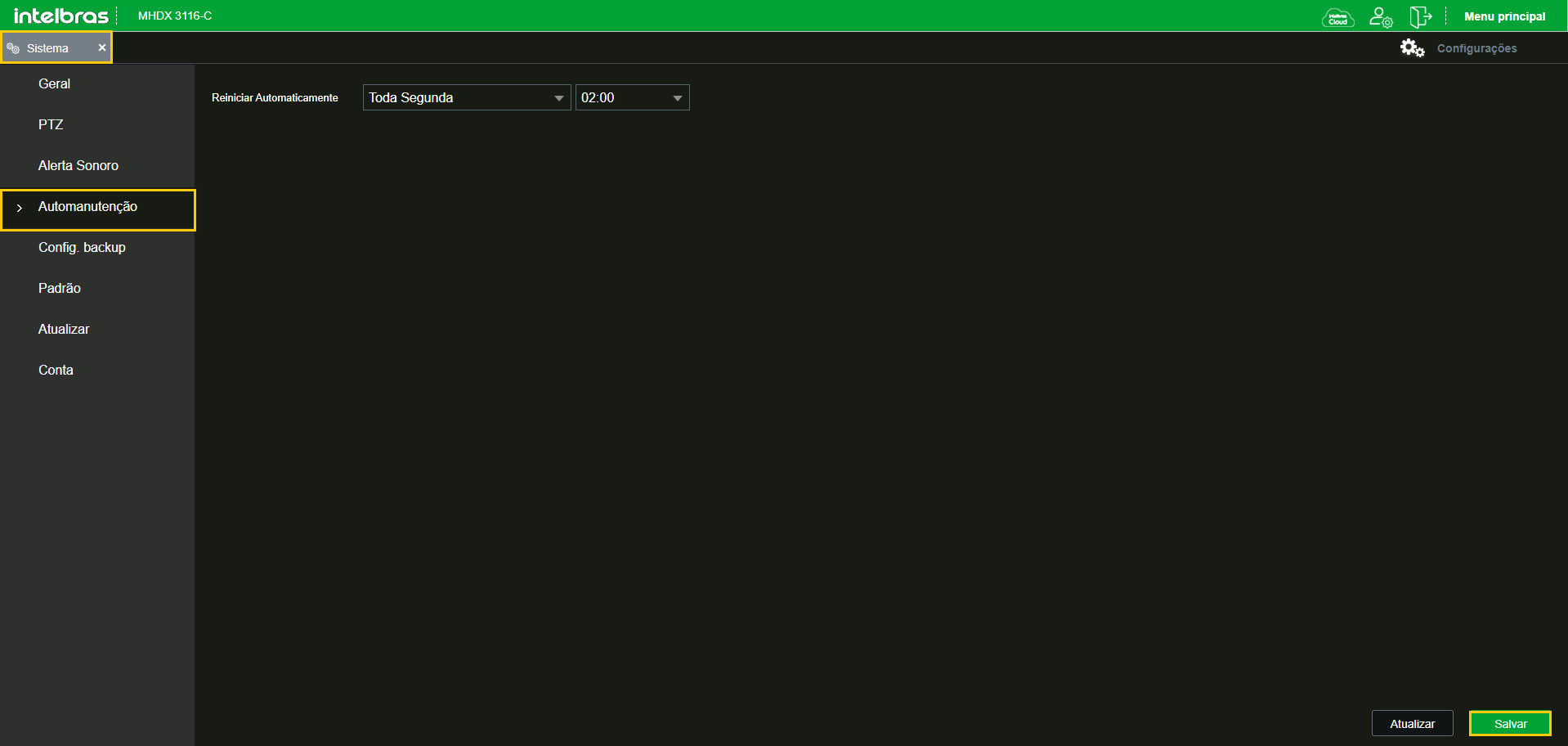
🔐 Security and Restart
- Authentication: Digest
- Schedule weekly restart — Monday, 02:00
¶ 📺 Intelbras – Analog Cameras
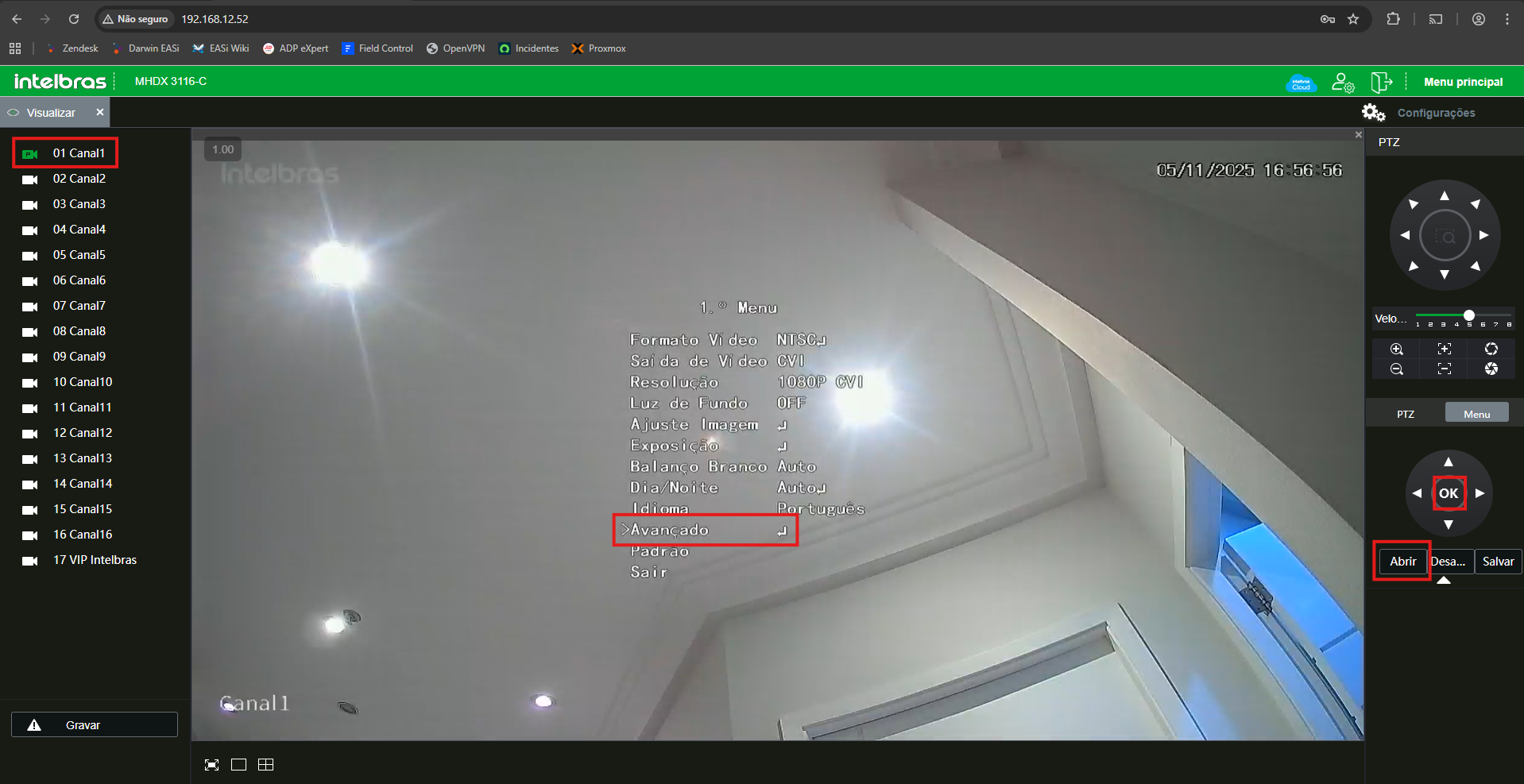
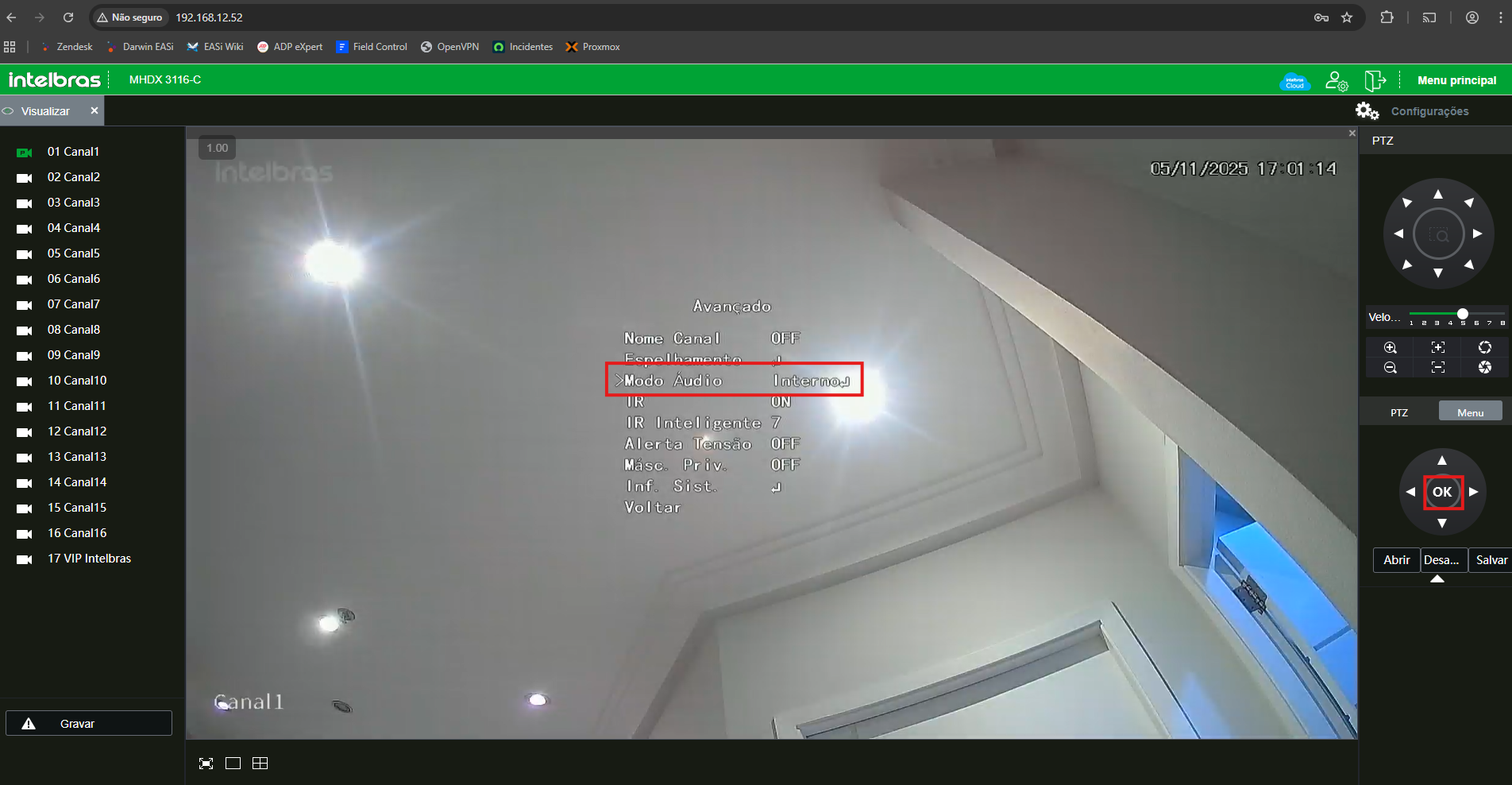
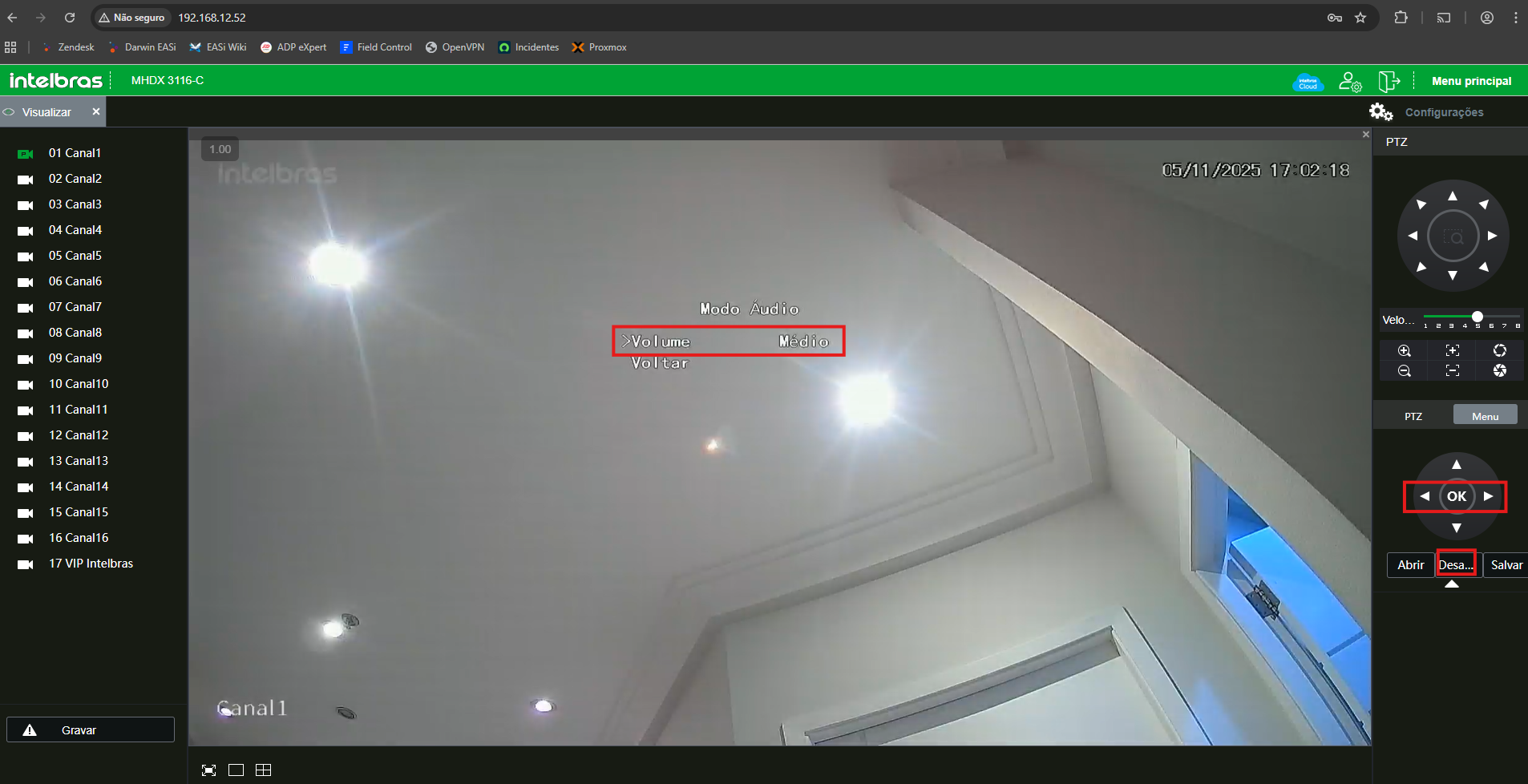
🎙️ Audio adjustment on the DVR
-
Select the channel → click Open in the right-hand menu → select Advanced → click OK
-
Select Audio Mode
-
Use the arrows to adjust the audio → confirm with OK → exit the menu with Disable
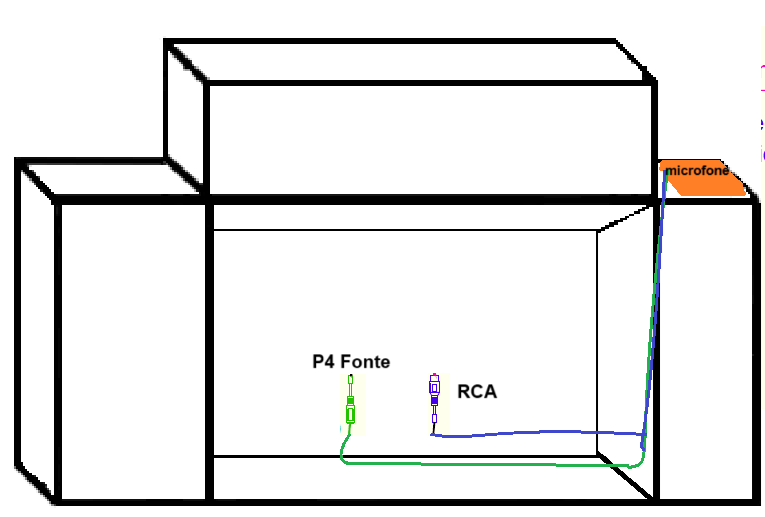
¶ 🎙️ Microphone – Installation and Cabling
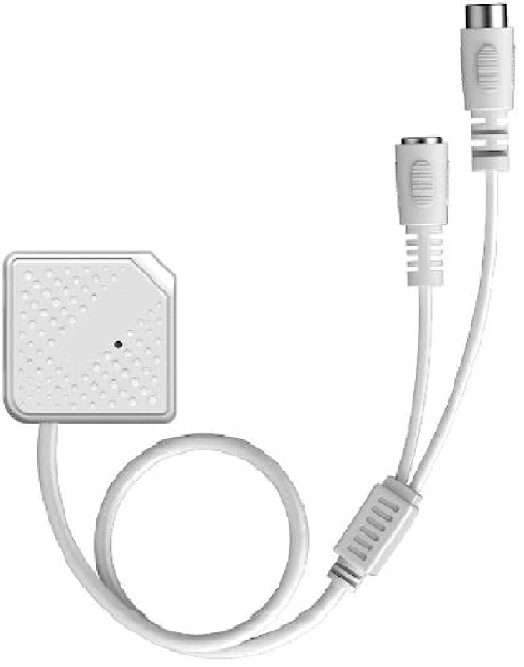
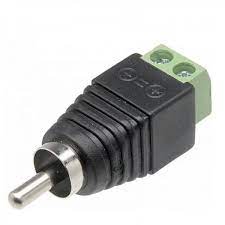
📦 Components
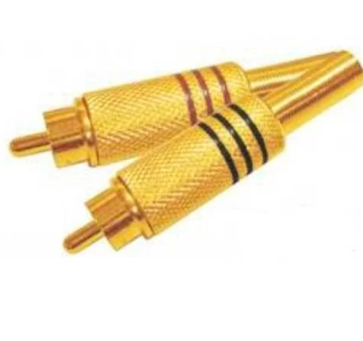
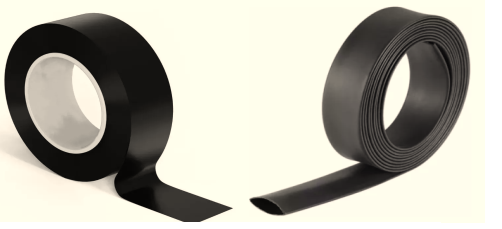
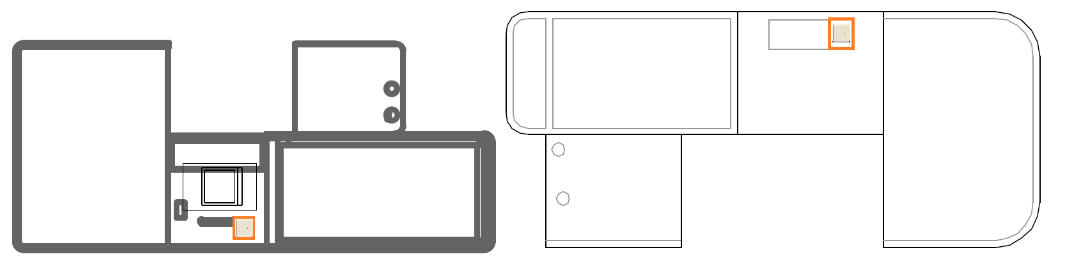
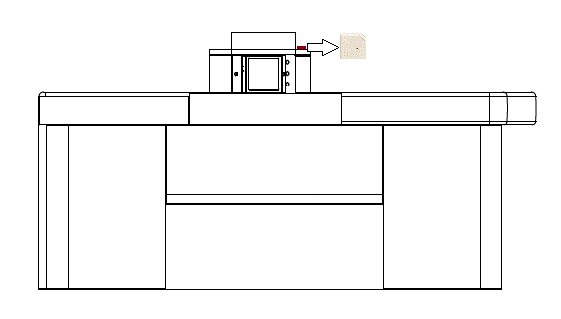
🧩 Location on the POS
¶ ✅ Final Approval Checklist
Confirm before leaving the store:
- Equipment with a static IP set
- NTP synced with the Darwin server (GMT-03:00)
- Image standard at NTSC / 60Hz
- Video set to H.264 (never H.265)
- Motion detection disabled on all cameras
- Continuous recording active with audio enabled
- OSD with POS name and date/time visible
- HDD formatted and recording (check status)
- Microphone volume between 50 and 60
- Audio cables insulated (especially soldered RCA)
¶ ⚠️ Best Practices and Final Notes
- Never use the H.265 codec — incompatible with the Darwin system
- Always set 60Hz / NTSC in Brazil
- Sync the time with the Darwin server before enabling recording
- Disable any motion detection
- Microphone volume set between 50 and 60
- All audio cables must be insulated (especially soldered RCA)
- Standardize channel names to ease auditing and technical support
- Confirm active recording before leaving the store